
Sarah Mitchellto me
Can you review the roadmap?
Hi John,
Could you take a look at the roadmap and share your feedback before Friday?
Thanks!
Sarah
Email was always a conversation.
We just forgot what one looks like.
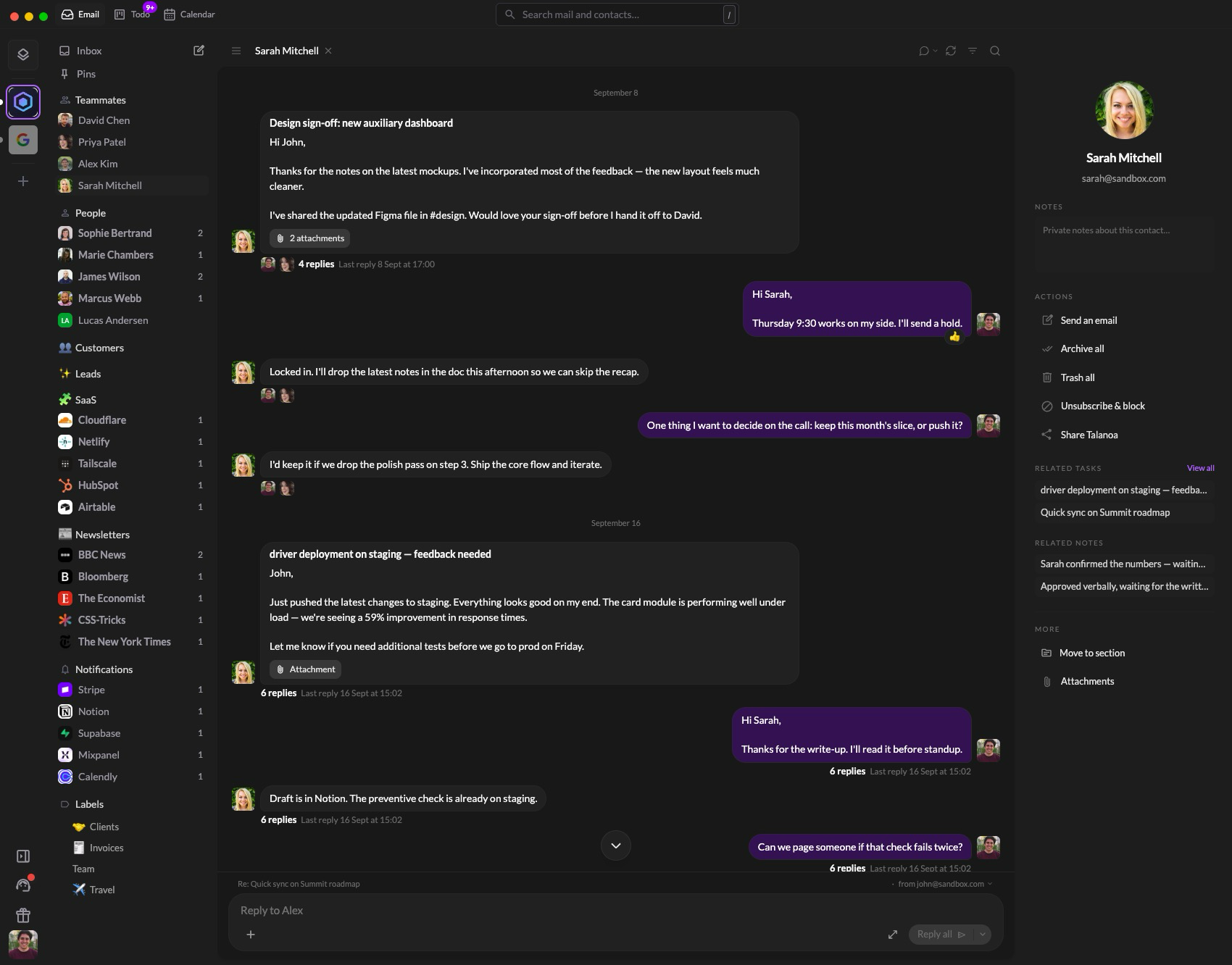
Every message becomes a bubble. Quotes, signatures and disclaimers disappear. Read it like a chat, reply like one too.
A more natural way.
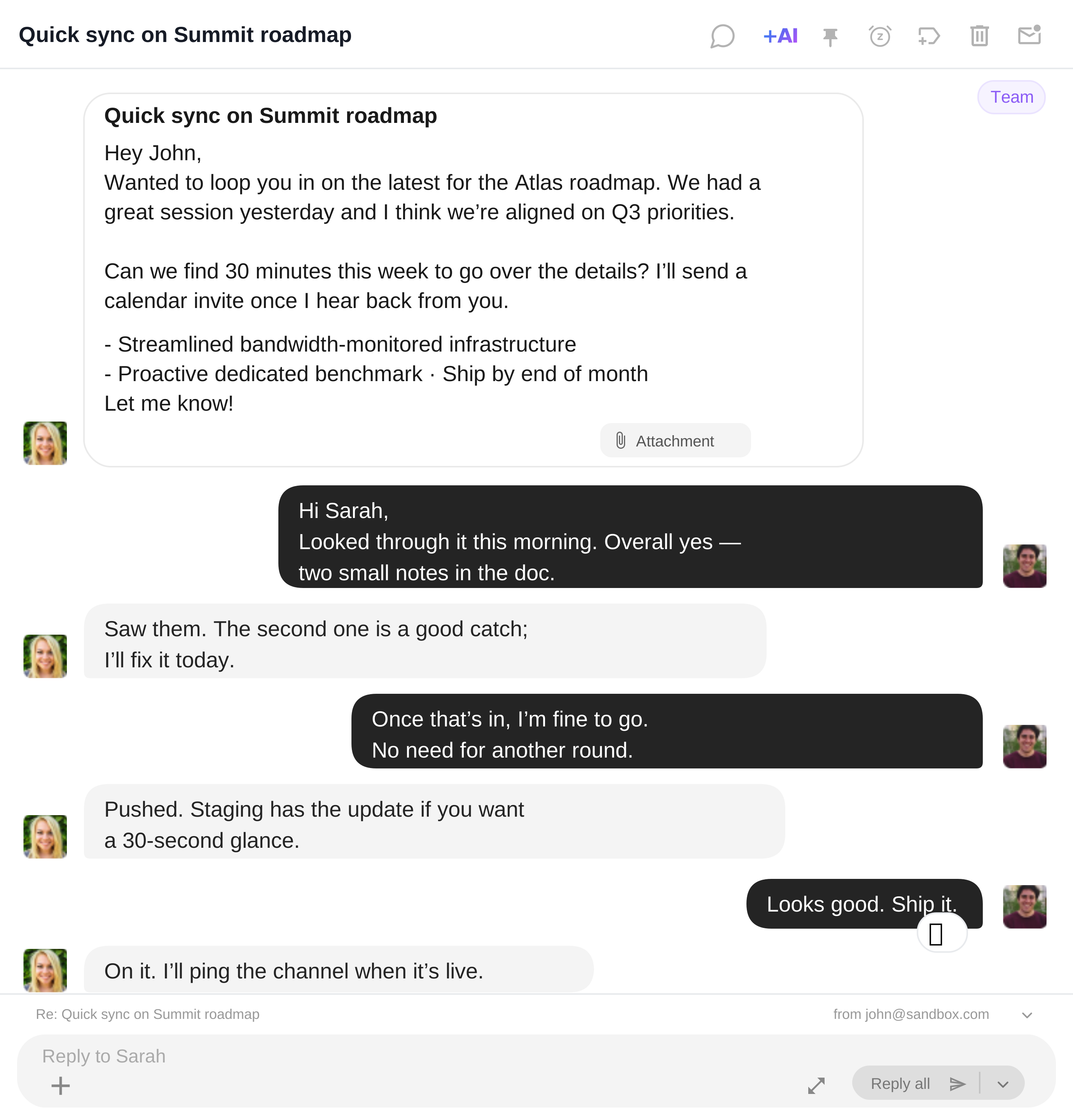 Every message is a bubble. Nothing else in the way.
 The old-fashioned way.
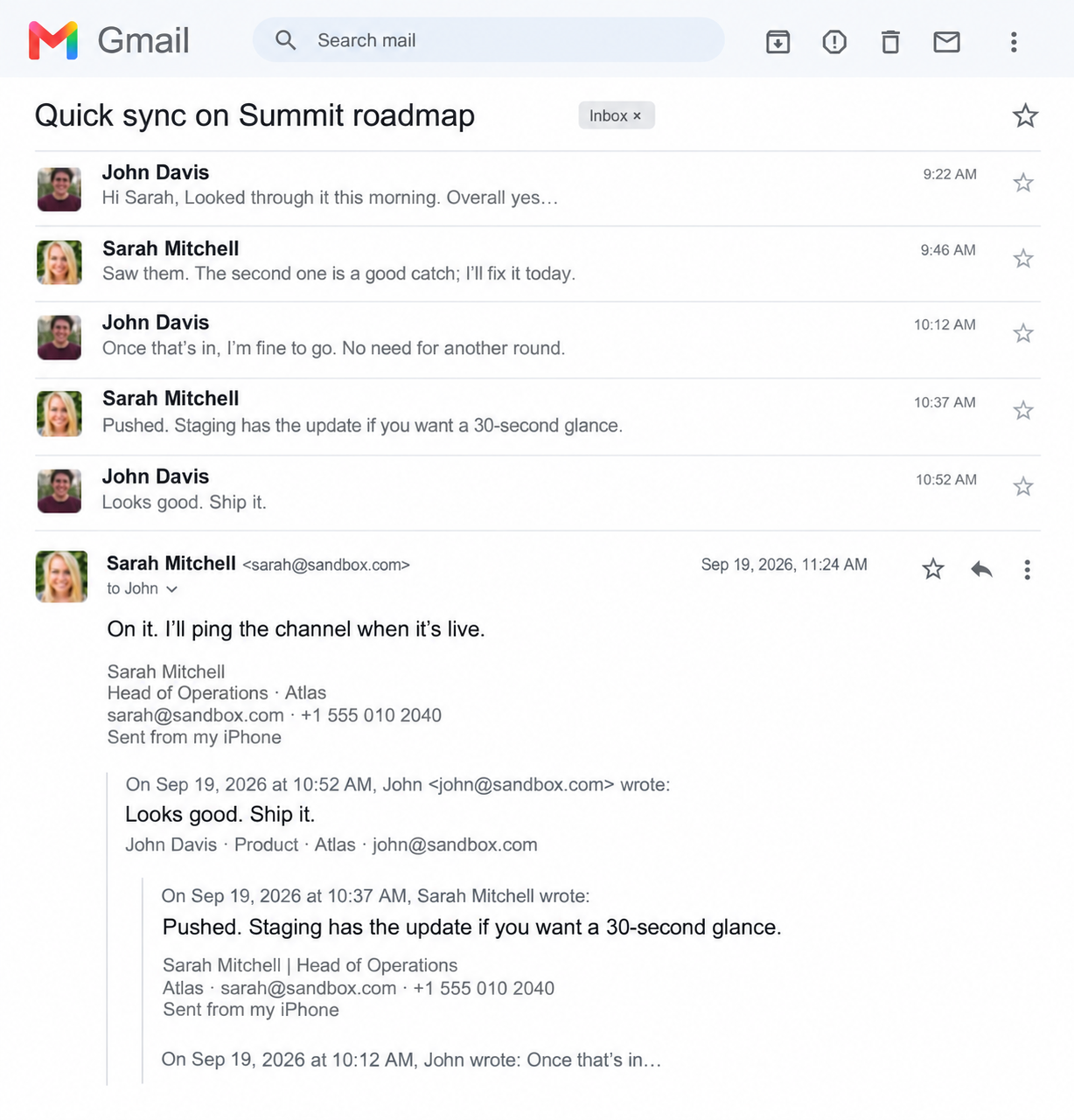 The same thread, under quotes, signatures and disclaimers.
 A review. An approval. A proposal to send. Some emails need more than a reply. Give the work a place of its own, right inside Talanoa.
Hi John,
Could you take a look at the roadmap and share your feedback before Friday?
Thanks!
Sarah
Marked unread. Labelled “To do”.
Still waiting somewhere in your
inbox.
Sarah Mitchell
Hi John,
Could you take a look at the roadmap and share
your feedback before Friday?…
A clear action. A due date. A place to track progress.
And the
original conversation, always attached.
Check your calendar. Go back to your email. Suggest a time. Repeat. Talanoa brings it all together: respond to invitations and share a booking link with several available times, right from your email.
One app for the conversation. Another for your availability.
And a
few more emails just to find a time.
Sarah MitchellRoadmap catch-up Friday · 10:00–10:30
Sarah Mitchell · 30 minFor our next catch-up, pick a time that works for you:
RSVPs, available times, booking links.
All part of the
conversation.
Accept invitations without leaving your inbox.
Share several time
options in one calendar link.
Ask your inbox. Skip the long threads. Write replies that sound like you. Talanoa's AI runs locally, so your emails stay yours.
Search your emails and attachments, check your to-dos, look at your calendar. Just ask. Every answer shows its sources, and nothing happens until you confirm.
Guess the right keywords…
…then open them one by one.
Keywords, filters and a dozen tabs.
Just to find one answer.
What’s the latest feedback on our new release?
Emma wants reminders on unanswered emails 1. Oliver loves the conversation view 2. Nina would like more context in previews 3.
Create a todo for tomorrow to send the summary to my accountant.
Add a meeting with Oliver tomorrow at 10am about marketing.
Email Nina. I’ll send her the new signature by Friday.
Hi Nina,
I’ll send you the new email signature by Friday.
Best, John
Every answer shows its sources.
An answer, with its sources.
Drafts you review before anything is sent.
A long thread becomes its decisions and next steps. A few words become a reply in your own tone, learned from the emails you send. Translated into their language, if you need it.
Finance confirmed the €40k budget. We’re good to go.
Let’s move the launch to October 3. Nina, can you get legal approval by Friday?
On it. I’ll send the signed agreement as soon as legal approves.
✓€40k budget approved.
Launch moved to October 3.
→Nina to get legal approval by Friday.
What’s decided. What’s next. Who’s on it.
Pick a tone. It still sounds like you.
Thanks, Sarah! Looks great. Let’s go ahead.
Merci Sarah ! C’est top. On y va.
Same meaning, same tone. One click.
The model runs on your own computer. No cloud, no upload, no one else reading your emails. Private by design, not by promise.
Somewhere, on someone
else’s server.
Your emails leave your computer.
To be read somewhere else.
Nothing leaves.
Not even a word.
The model runs on your computer.
Your emails never leave it.
Talanoa keeps your email on your computer. Open, search, Ask AI and reply on a slow train, in a café with bad Wi-Fi, or at 30,000 feet. Your emails go out on their own once you’re back online.
Your train just went into a tunnel…
Same inbox. Same connection. Only one of them still works.
What users say
Really enjoying Talanoa so far
“I've tried Gmail, Outlook, Thunderbird and Spark, and Talanoa is the first email client that genuinely changed the way I deal with my inbox.”
Every email from Sarah, in a single thread. No more hunting through subject lines.
Connect every account in a minute. Yahoo and any IMAP mailbox too.
New emails land in one timeline, in order, whatever account they come from.
One click removes a sender and everything they ever sent you.
Talanoa was designed from day one with privacy as a constraint, not an afterthought. No advertising. No compromise.
Start protecting your attention.
For years, we were told that the path to productivity was simple: clear your inbox, stay organized, reach zero unread. But Inbox Zero was never freedom. It was maintenance.
Every day, people spend time sorting, archiving, labeling, snoozing, and deleting messages just to feel briefly in control. Then the next wave arrives, and the cycle starts again.
The problem is not that your inbox is full. The problem is that email has trained you to manage everything with the same level of urgency. Not every message deserves your time. Not every email deserves to interrupt your day. And productivity should not be measured by how fast you clean up your inbox.
The future of email is not processing more. It is focusing on what actually matters.

 David Chen 1
  Priya Patel
  Alex Kim
  Marie Chambers 2
  Nina Kowalski
  James Wilson 1