Unified Inbox is here
🚀 Big update
- Unified Inbox - The unified inbox is here! See all your accounts in one place.
Inbox & search improvements
✨ Improvements
- Sidebar - Added an Inbox entry in the sidebar for quicker access
- Search - New search bar UI
Topbar & collapsible sidebar
✨ Improvements
- Top bar - New UI with a redesigned top bar
- Sidebar - Collapse the sidebar to reclaim space when you need it
🐛 Fixes
- IMAP sync - Bugfix for IMAP synchronization
Dark mode & mail distinction
✨ Improvements
- Dark mode - Fully finished: emails are now rendered in dark mode too
- Read/unread UI - New visual styling to better distinguish read vs unread messages
🐛 Fixes
- IMAP stability - Fixed an issue that could occur with IMAP accounts
Section settings & Live updates
🚀 Features
- Section visibility - New settings to control section display, allowing you to choose between showing the latest sender or only unread messages (inspired by Slack)
✨ Improvements
- Live updates - Improved performance and real-time updates for incoming changes (new emails, deletions, etc.)
🐛 Fixes
- IMAP compatibility - Fixed IMAP issues with certain providers like Mailfence and ProtonMail
Inbox filters & UI improvements
✨ Improvements
- Inbox filters - New UI for the filters in the inbox view
- Sidebar organization - Moved the Labels section to the end of the sidebar menu
🐛 Fixes
- Composer stability - Fixed a freeze that could occur during message composition
- Feedback modal - Fixed an issue where typing in the feedback modal would trigger keyboard shortcuts
Performance & stability fixes
🐛 Fixes
- Performance improvements - Various optimizations for a snappier experience
- Linux & Windows UI fixes - Resolved visual glitches and layout issues
- Sync engine stability - Fixed edge cases in the synchronization engine for more reliable email sync
Stability fix
🐛 Fix
- Sleep/wake stability - Fixed an issue where Talanoa could freeze or become unresponsive after your laptop wakes from sleep. The app now handles suspend/resume gracefully.
Print, Drafts & Cross-Platform Fixes
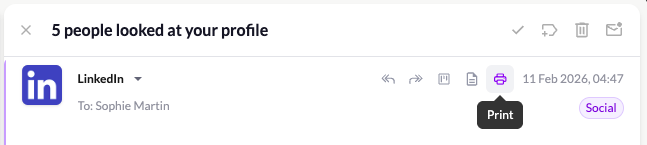
🖨️ Print Email Content
Need a PDF of an important email? You can now print any email directly from Talanoa. Perfect for saving receipts, contracts, or anything you need to keep offline.
📝 Drafts Improvements
- Auto-save every 30 seconds - Never lose a draft again. Your work is automatically saved while you compose.
- New Drafts UI - Redesigned interface for listing and editing your drafts. Cleaner, faster, easier to manage.
🐛 Fixes & Improvements
- Windows & Linux UI fix - Minimize, maximize, and close buttons now display correctly
- New shortcut: D to delete - Quickly delete a message with a single keystroke
- Sent message preview fix - Messages now appear correctly in the thread right after sending
Attachments & Composer Upgrades
📎 Attachments Improvements
- Inline attachments - Add images directly in the body of your email, not just as attachments
- Image previews - See image attachments directly in your emails without downloading them first
✉️ Composer Upgrades
- Select sender from any account - Composing from multiple accounts? Now you can choose which account to send from, all in one place
- Draft bug fixed - Fixed an issue with editing and sending drafts
🎨 New UI Menu
Fresh new navigation menu to switch between Inbox, Todo, and Calendar (coming soon). Cleaner, faster, ready for what’s next.
