Talanoa goes mobile
📱 Big news — the mobile app is here, in alpha
Talanoa is coming to your phone. The mobile app for iOS & Android is now in alpha, and I’m looking for testers.
The Talanoa you know — Teammates, People, your custom sections and Notifications, multi-account with a unified inbox, full-text search, light & dark themes and local only.
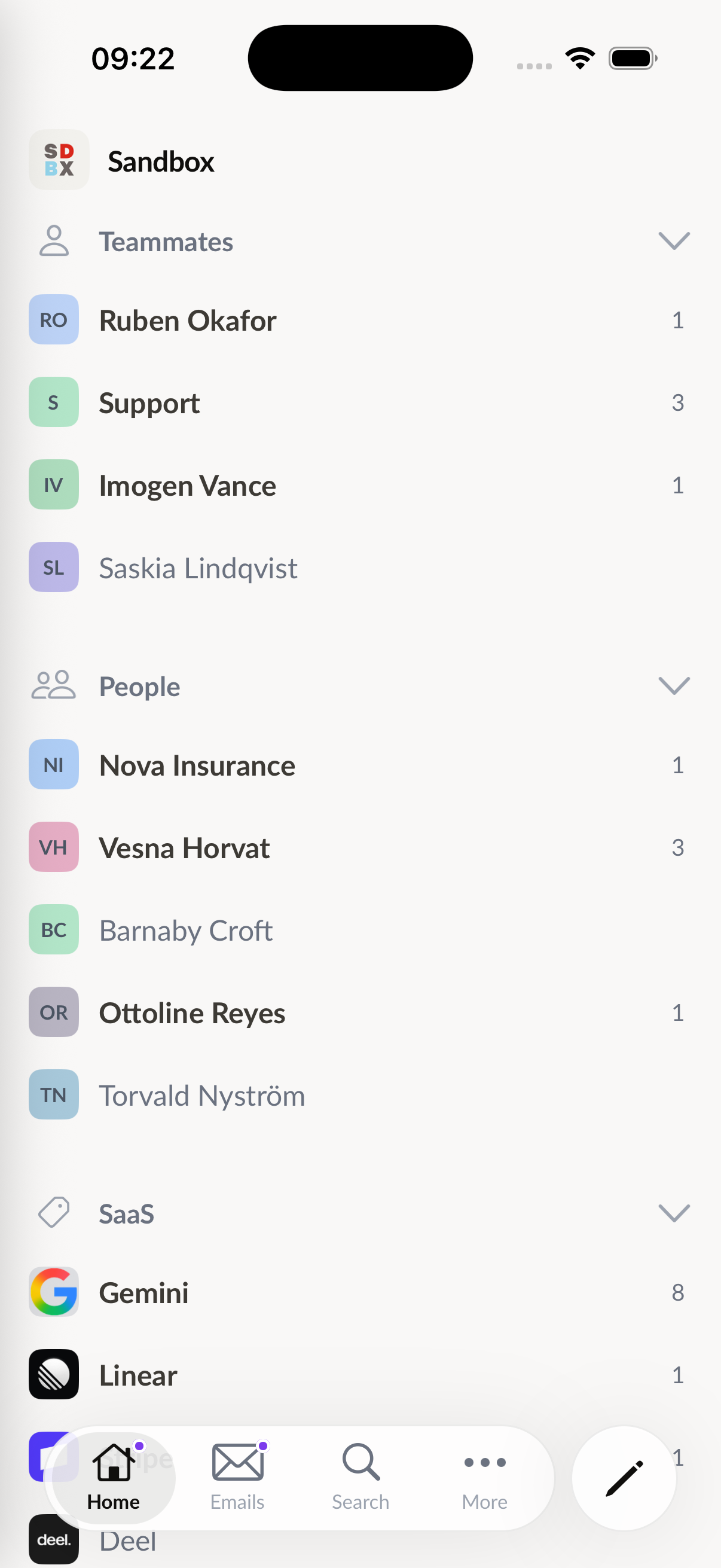
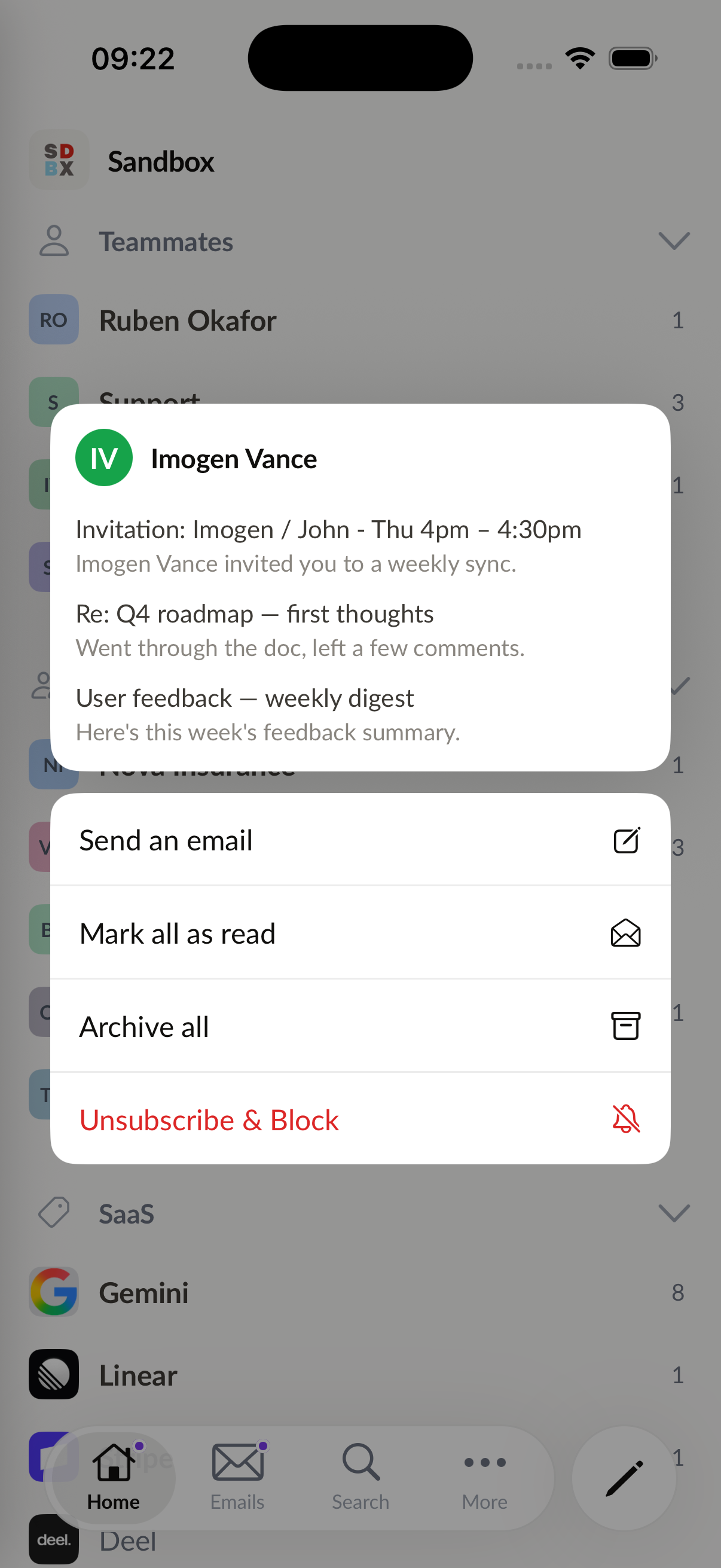
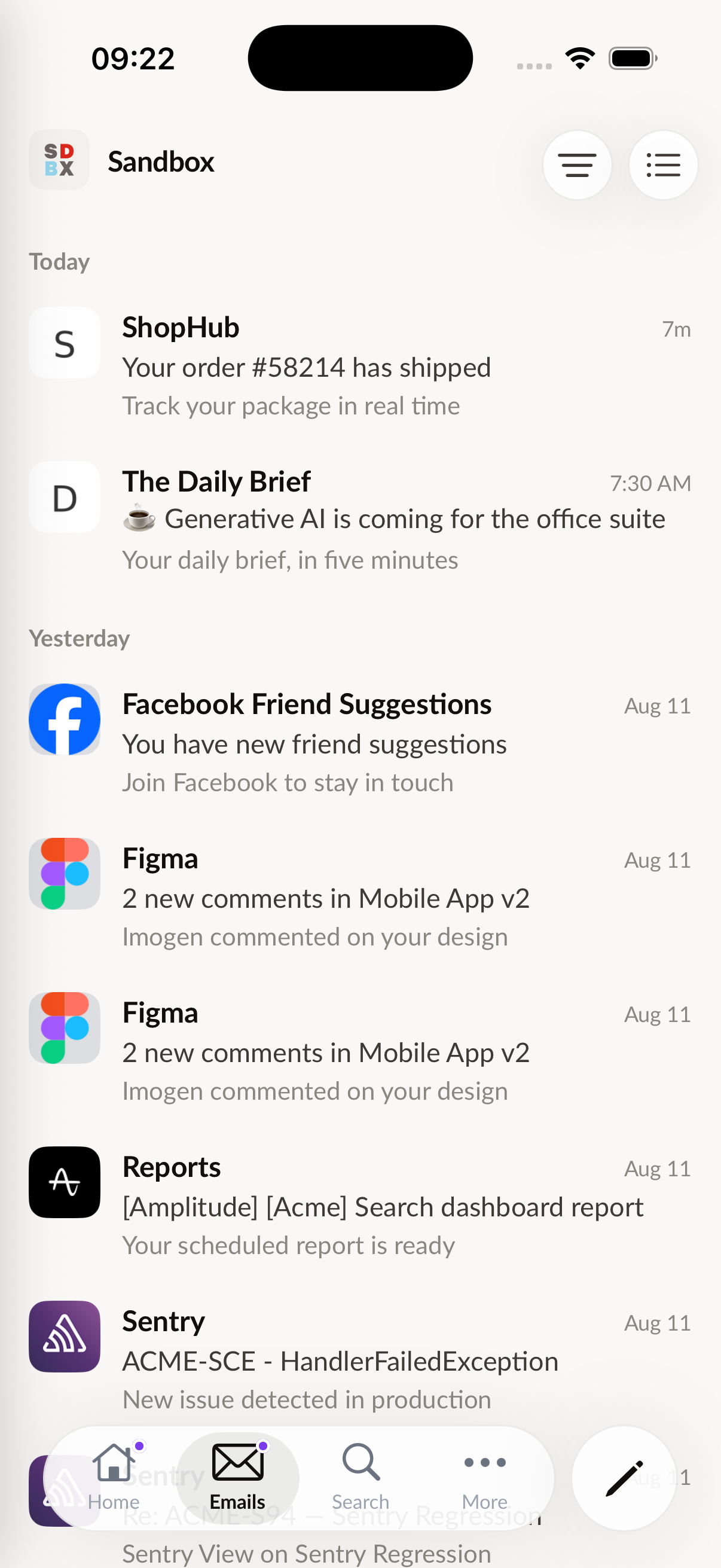
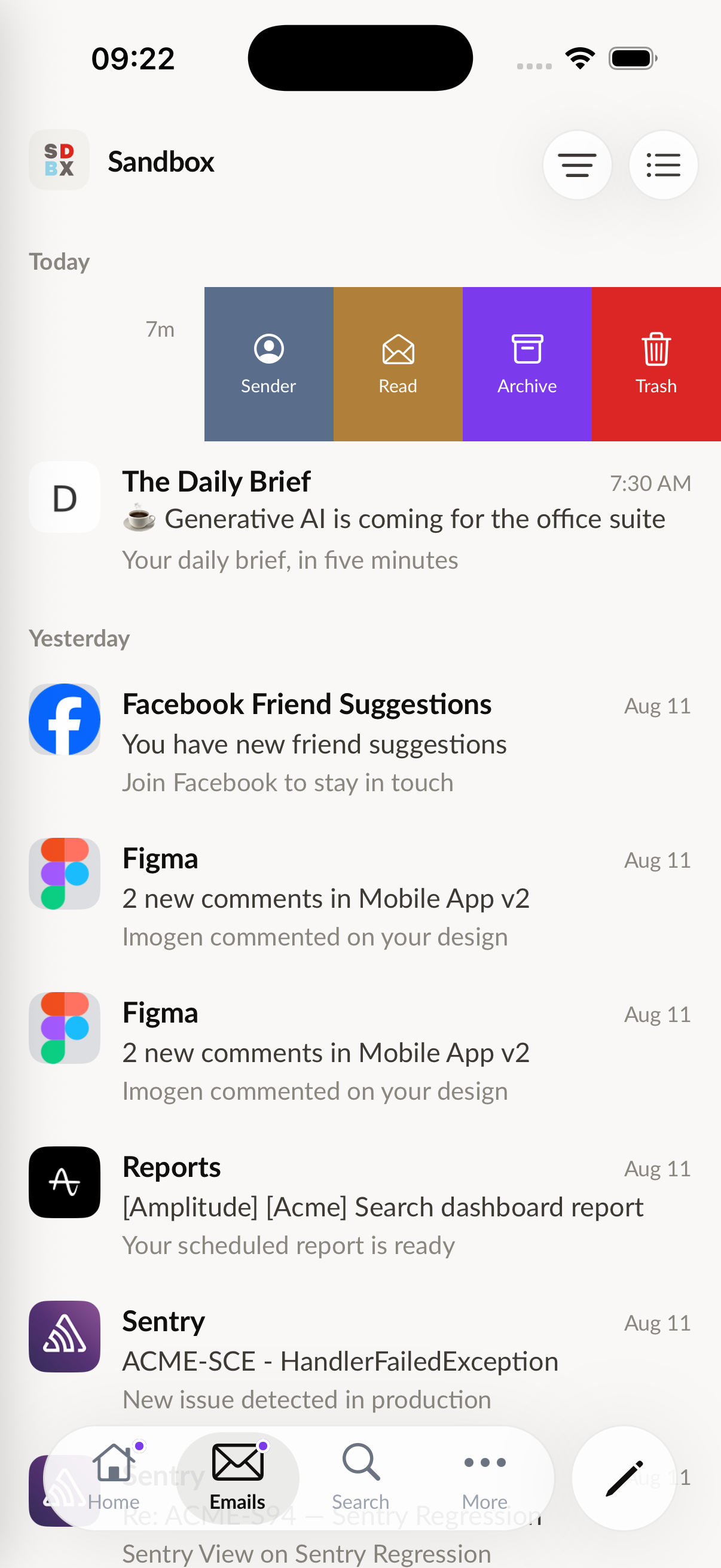
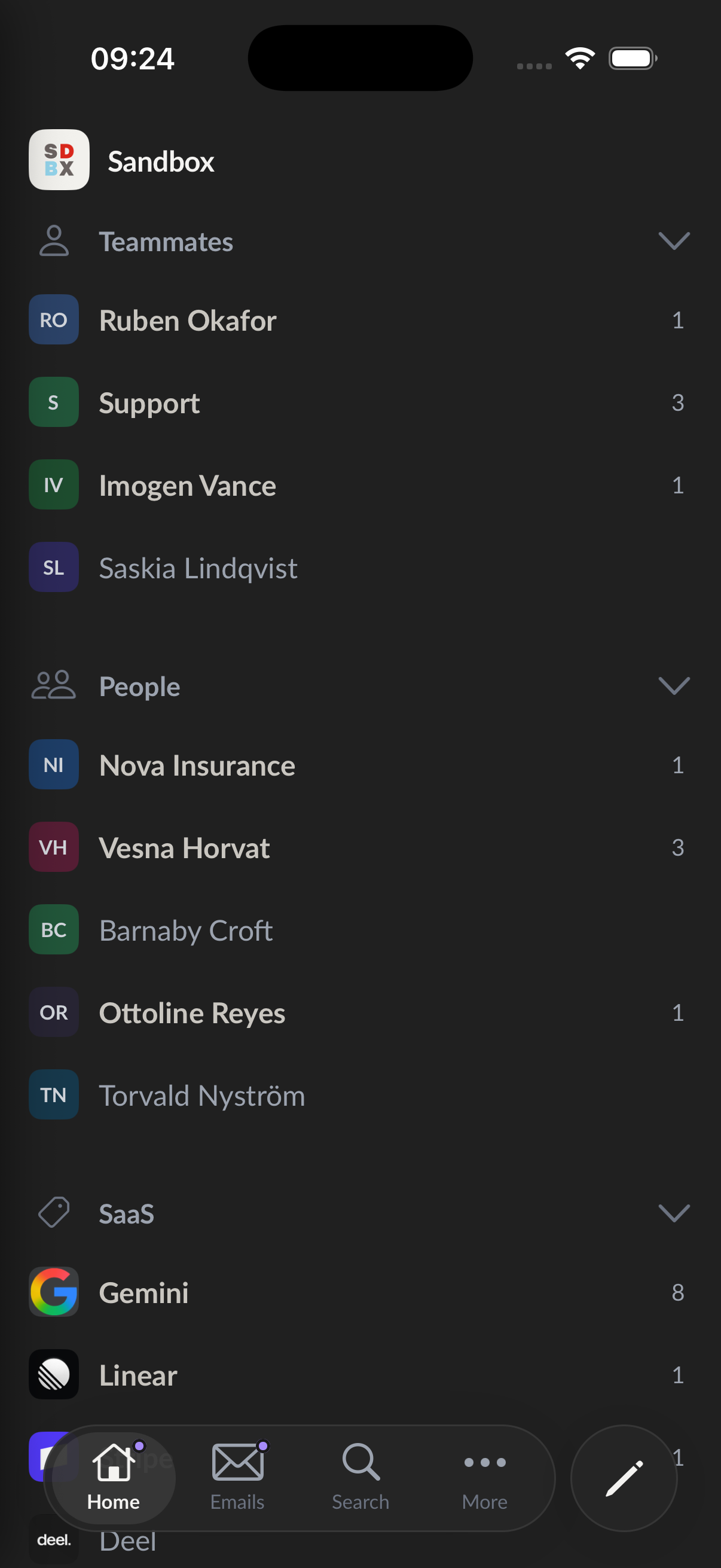
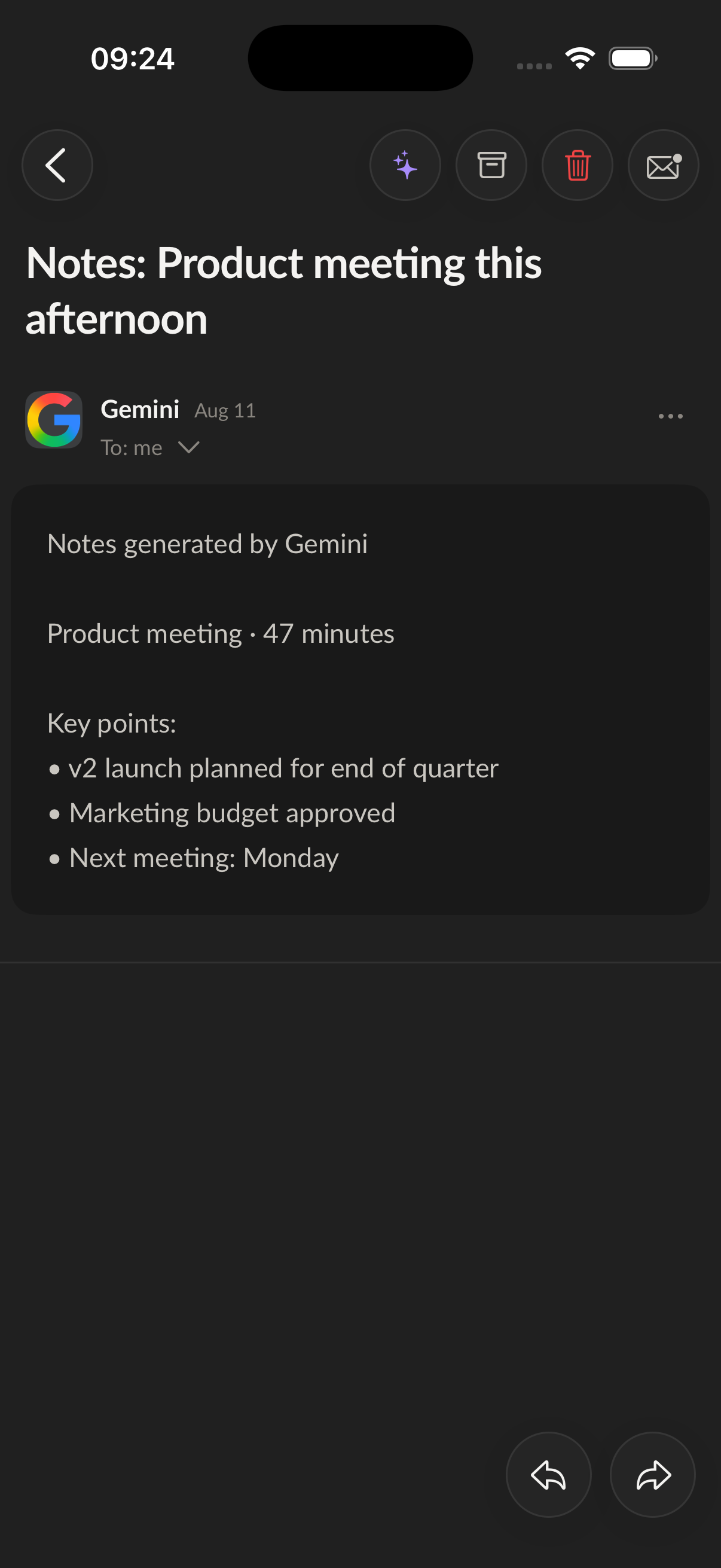
Want in? Open Settings → Devices in the desktop app and hit “I want to be a beta tester”.
Playing favorites
✨ New & improved
- ⭐ Star your favorite views — Every view in the inbox menu (Sent, Drafts, Snoozed…) now has a star. Starred views show up in the left sidebar right below your Pins, one click away — saved per account.
- ✍️ Quotes in the composer — Type
>at the start of a line to turn it into a quote block. Enter continues the quote, a double Enter exits it, and it renders properly in your recipient’s inbox too. - 🖋️ Your first signature becomes the default — The first signature you add to an account, whether created by hand or imported from your provider, is now automatically set as that account’s default.
🐛 Fixes & polish
- Unified inbox: opening a sender from another account now shows their conversations instead of an empty view — and sender actions (archive all, unsubscribe, block…) now target the right mailbox.
- Unified todo board: opening a task’s email from another account now displays the conversation instead of coming up empty.
- Support chat: your message clears the instant you hit send — attachments upload in the background, and mashing Enter can’t send it twice.
- The Updates settings tab now looks right in dark mode, and its button only says “Download now” when an update is actually ready.
💬 Tell me what you think
Loving it? Something feel off? I read every message — write to me directly at [email protected].
Talk to me
✨ New & improved
- 💬 In-app support chat — Need help or want to share an idea? You can now chat with me directly from the app: start a conversation, attach screenshots, follow its status, and get notified when I reply. Find it in your profile menu.
- ✅ One todo board for all your accounts — Your todo board is now shared across all accounts by default, so every task lives in one place. Prefer separate boards? Switch back to per-account mode in Settings.
- ⇧ Select a range with Shift-click — Tick one email’s checkbox, hold Shift and click another: everything in between gets selected. Batch triage just got a lot faster.
- 🧠 Filters that stick — The Today view now remembers your “Unread only” and “Archived only” filters per account, even after a restart.
- 🔋 Lighter in the background — When Talanoa isn’t focused, background sync slows to a calmer pace and picks right back up the moment you return — easier on your battery and network.
🐛 Fixes & polish
- Opening an email by clicking it now reliably marks it as read everywhere.
- With “Unread only” on, emails you’ve just read now leave the Today list when you navigate away, instead of lingering.
- The Help menu moved into the profile dropdown — one less button crowding the sidebar.
💬 Tell me what you think
Loving it? Something feel off? I read every message — write to me directly at [email protected].
Pin what matters
✨ New & improved
- 📌 Pin your emails — Pin any email to keep it at hand, with a dedicated Pins view in the sidebar. Pins sync with your provider’s native flags — Gmail stars, Outlook flags and IMAP flags — so they follow you everywhere.
- 🔍 Search everywhere at once — When the unified inbox is on, search now looks across all your accounts, not just one.
- ✍️ Signatures that follow the sender — Switching the send-from account in the composer now switches to that account’s default signature automatically.
- 🔗 See where links lead — Hovering a link in an email now shows its full URL at the bottom of the reading pane, so you know where you’re going before you click.
- 📄 Cleaner pasting — Pasted text in the composer now keeps Gmail-like paragraph spacing instead of collapsing or stretching.
🐛 Fixes & polish
- Reopening a draft no longer shows “undefined” instead of your saved text.
- Keyboard shortcuts now work on non-Latin keyboard layouts (Cyrillic, Greek, and more).
💬 Tell me what you think
Loving it? Something feel off? I read every message — write to me directly at [email protected].
One inbox, color-coded by account
✨ New & improved
- 📥 A truly unified inbox — One global toggle to see every account together, or step back into a single mailbox in a click.
- ✅ Select and act in bulk — Hover any list to reveal checkboxes, then archive, mark read or trash several emails at once.
- ↕️ Reorder your accounts — Drag and drop the account rows in the sidebar to arrange them exactly how you want.
- 🛡️ Anti-phishing safeguards — Talanoa now flags emails whose sender may be spoofed.
- 📎 A calmer attachment row — Composer attachments stay on a single row, with an overflow popover for the extras.
- ✍️ Recipient before subject — A new setting lets you place the recipient field above the subject when composing.
- 🧩 Widgets at a glance — A quick toggle in the Today header to show or hide your widgets.
🐛 Fixes & polish
- A round of fixes and refinements for a faster, calmer everyday experience.
💬 Tell me what you think
Loving it? Something feel off? I read every message — write to me directly at [email protected].
A cleaner spam box and a sturdier inbox
✨ New & improved
- 🗑️ Empty spam your way — The Trash all button now lets you choose: move spam to the trash, or delete it permanently in one click.
- 🔒 App Lock is back — The switch to turn App Lock on or off has returned to Settings → Security.
- 🐧 Smoother on Linux — Google and Calendar sign-in now bring you right back to the app, plus optional support for KDE and Wayland.
🐛 Fixes & polish
- Trashing and emptying spam no longer crash in rare cases.
- Smaller fixes for a faster, calmer everyday experience.
A workspace that bends to your habits
✨ New & improved
- ↔️ A sidebar that fits you — Grab the right edge of the left sidebar and drag it to the width you like. Just like Split View, your choice is remembered and restored every launch.
- 👤 See who’s writing, right from the list — In “Show all” view, each row now shows the sender (avatar + name) instead of hiding them. Hover any thread to archive, snooze, trash or block the sender without ever opening the message.
- 😴 Smarter snooze presets — Two new options to clear your inbox on your terms: Later today (a few hours from now) and This afternoon (5:00 PM, hidden once the afternoon’s gone).
- 🚪 Close means close on Windows & Linux — Closing the window now fully quits Talanoa on Windows and Linux. macOS keeps its usual behavior and stays running in the background.
🐛 Fixes & polish
- A round of fixes and refinements — smoother sender panel, better handling of emails with large images, and behind-the-scenes cleanups for a faster, more reliable everyday experience.
💬 Tell me what you think
Loving it? Something feel off? I read every message — write to me directly at [email protected].
Split View — your inbox, your way
✨ New & improved
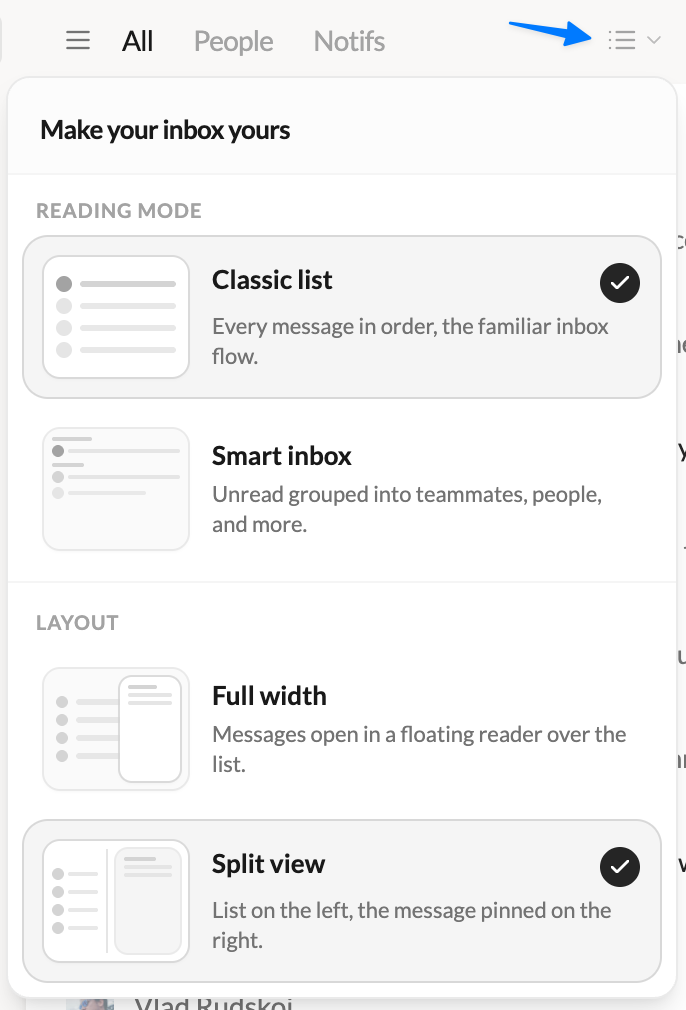
- 🪟 Introducing Split View — A brand-new way to read your email. Keep your list pinned on the left and open messages right beside it, side by side. Drag the divider to size each side exactly how you like. Prefer the classic full-width list with a floating reader? That’s still here too — pick your favorite anytime.
- 🎛️ Choose your layout in one click — A redesigned switcher in the inbox lets you flip between Full width and Split view, with a visual preview of each. Your choice is remembered.
- 📇 A smarter conversation list — In Split View, threads get straight to the point: subject, preview, participants and message count at a glance. Avatars and counters only show up when they actually help.
- 🎚️ A sender panel that gets out of the way — Collapse the contact panel with a click for maximum reading space, and bring it back whenever you need it.
- ✍️ Compose from anywhere — The “New message” button now follows you into the header when the sidebar is collapsed. Never more than a click away from writing.
- 🖊️ Pick your signature with confidence — The signature picker now opens in its own window with a full preview of every signature, so you see exactly what you’re sending — or choose none.
🐛 Fixes & polish
- Dark scrollbars at last — Scrollbars now follow dark mode on Windows and Linux.
- Clearer filters — “Unread” and “Archived” are now “Unread only” and “Archived only”.
- Lots of small interface refinements for a smoother, more consistent experience.
💬 Tell me what you think
Loving it? Something feel off? I read every message — write to me directly at [email protected].
Never lose an email, a calmer dark mode & a faster start
✨ New & improved
- 🪟 Talanoa remembers its place — The app now reopens at the exact size and position you left it. No more resizing the window every single launch.
- 📎 “Didn’t you forget an attachment?” — Mention an attachment in your email but hit Send without one? Talanoa gives you a friendly heads-up before it’s too late.
- 🌙 A calmer dark mode — A full dark-mode refresh inspired by Notion: clearer background hierarchy, panels you can actually tell apart, and the active account finally visible in Accounts. Your eyes will thank you at 11pm.
💌 Your emails are safe now
- An email never gets lost — If a send fails, it reopens on its own and retries automatically — even for scheduled sends. Zero vanished messages.
- No more leaky connections — We sealed IMAP connection leaks and decoupled sending from IMAP, so no more hangs or slowdowns while mail goes out.
- Drafts out of your way — Saving, sending, and deleting drafts now run in the background, keeping the interface snappy while you write.
💬 Tell me what you think
Loving it? Something feel off? I read every message — write to me directly at [email protected].
Bug fixes & a honest note from John
🛠️ Mostly bug fixes
No new features this time. Just polish and fixes after the v0.9 redesign: things that felt slow, lists that didn’t update right, and a few UI inconsistencies here and there.
😅 A little story
v0.9 was a huge update. I ship fast and I care a lot about making Talanoa better, but I’ll be honest: sometimes I forget to re-test every corner of the app, especially when my kids are literally under my feet while I’m working. (Parent life.)
This release is me catching up on the stuff that slipped through. Thanks for your patience.
💬 Tell me what you think
The new UI is a big change, and I’d love your feedback: what you love, what feels wrong, what’s missing. Don’t hesitate to write to me directly: [email protected]
