For two years, the most common message in my inbox has been some version of the same sentence:
“I love Talanoa on my Mac. But I read half my email on my phone, and going back to Gmail there ruins the whole thing.”
They were right, and it bothered me. An email client that only works when you’re at your desk isn’t really an email client. It’s a desk accessory. You sort your inbox by sender in the morning, feel calm for an hour, then open your phone at lunch and fall straight back into the chronological pile you were trying to escape.
So: Talanoa v0.10.0 brings the mobile app to iOS and Android. It’s in beta today.
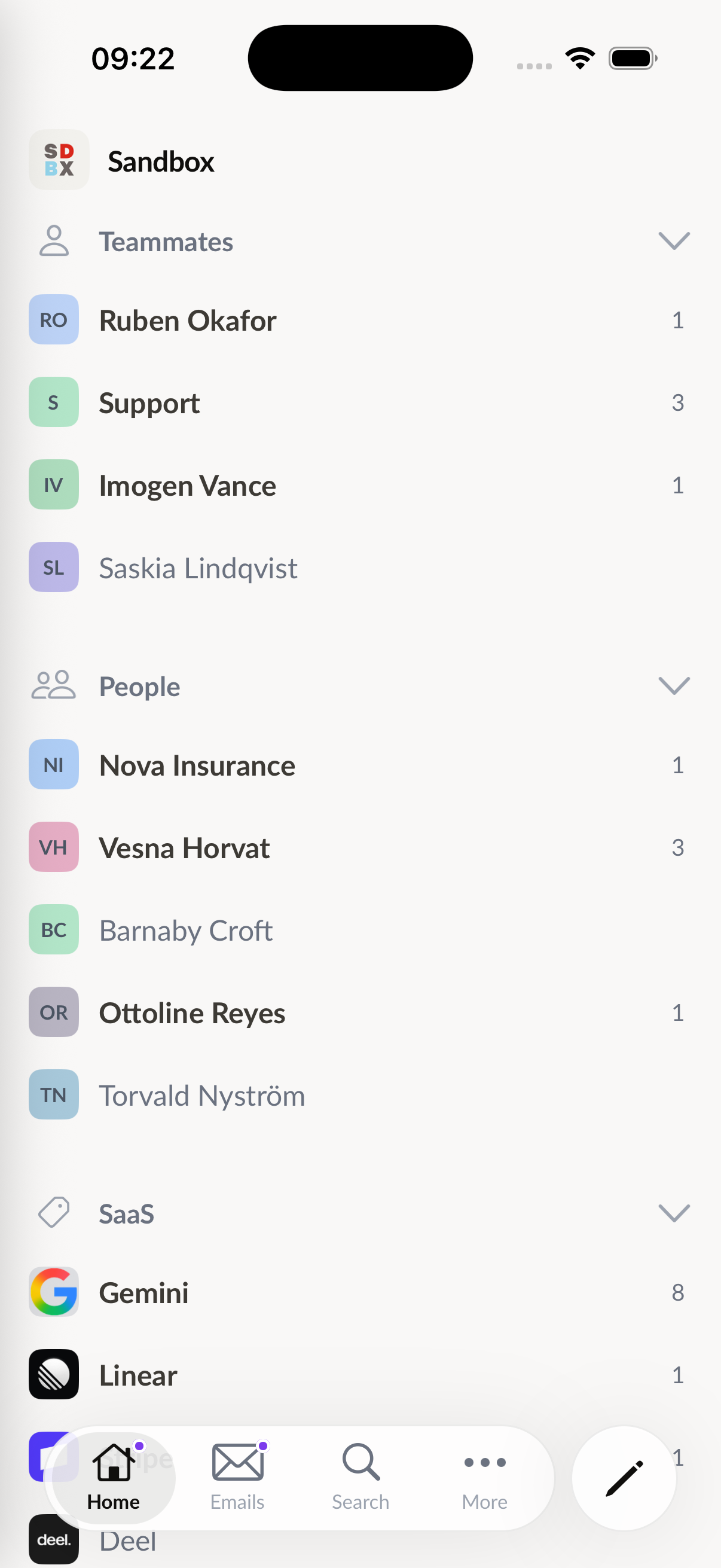
The easy version of a companion app is a reader. Show a list, let people reply, ship it. I didn’t want that, because the thing that makes Talanoa useful isn’t the reading. It’s the structure.
So the mobile app carries the actual model over:
Plus the things a phone has to get right: real-time push notifications, full-text search, a real compose sheet with auto-saved drafts, snooze, folders (Drafts, Sent, Archive, Snoozed, Promotions, Spam, Trash), calendar-event cards in threads, light and dark themes, English and French.
This is the design decision that made mobile hard, and the one I refused to trade away.
Almost every mobile email app you can install works the same way: you hand it your credentials, its backend connects to Gmail on your behalf, and a fleet of servers you don’t control holds a copy of your mail so it can push notifications to you quickly. It’s the easy architecture. It’s also why “we don’t read your email” is a promise you have to take on faith.
Talanoa doesn’t keep a copy of your mailbox.
Your phone talks to your provider directly: the Gmail REST API with incremental history sync, Microsoft Graph with per-folder delta sync, and for everything else a real IMAP/SMTP client running over TCP on the device. Your mailbox lives in a SQLite database on your phone. Your OAuth tokens live in the system keystore (Keychain / Keystore). Sync never goes through a Talanoa server.
Real-time push is opt-in. Turn notifications on for an account and Talanoa stores encrypted access to that account so it can detect new mail as it arrives (Gmail, Outlook, IMAP) and alert you based on your preferences. Only the sender and subject leave the device to build the banner. The body stays on your phone.
Open Settings → Devices on the desktop app and you’ll get a QR code. On your phone, tap “Sync from Talanoa desktop” and scan it. Your accounts, sections, and preferences come across.
Your emails don’t travel between devices. Each device syncs its own copy straight from your provider. There’s nothing to migrate, and nothing in the middle to intercept.
If you’d rather just look around first, there’s a demo mailbox on the welcome screen. No account, no signup.
Beta means the app is complete enough to be someone’s daily email client (I’ve been using it as mine) and rough enough that I want to hear about it when it isn’t.
What’s solid: onboarding and OAuth, incremental sync on all three engines, the sender/section model, compose and send, search, folders, offline reading, and real-time push.
What I’m still hardening: background sync timing on Android across manufacturer battery policies, a handful of IMAP servers with unusual folder naming, and attachment handling on very large threads.
What isn’t there yet: the calendar availability picker.
The beta isn’t public on the stores yet. To join:
Open the desktop app → Settings → Devices → “I want to be a beta tester”. That opens a pre-filled message; hit send and I’ll set you up with a TestFlight or Play beta invite.
I’m taking testers in waves so I can actually read and act on what comes back. If you write me a sentence about which provider you use and which phone you’re on, you’ll go to the front of the queue. Those are exactly the two variables I need coverage on.
The mobile app is on every plan, including free Focus Mode. Not a separate app, not a separate subscription, not a separate purchase. Same one-account limit as desktop if you’re on Focus Mode. Power Mode (monthly, annual, or lifetime) gets the same app, with the same multi-account unlock you already have on desktop. Lifetime buyers who backed this thing early: this is what you bought.
Two years ago Talanoa was a desktop app with an opinion about how inboxes should work. Today that opinion follows you to the coffee shop, and your mailbox still lives on the device.
Go grab it. Then tell me what’s broken.
Try Talanoa
Why spend hours managing your inbox when you can focus on what matters?
Get started free