✨ New & improved
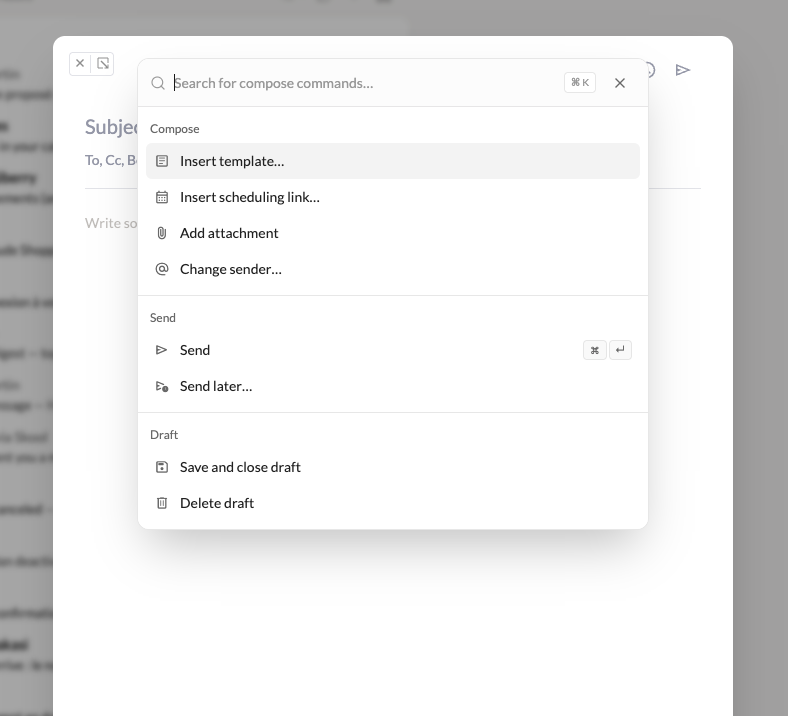
- A command palette inside the composer. Hit
Cmd+K(Mac) orCtrl+K(Linux and Windows) while writing and everything the toolbar does is one search away: send, send later, insert a template, drop in a scheduling link, add an attachment, change the sender. The point is to send an email without leaving the keyboard. Send later suggests real slots, and scheduling links propose times you are actually free.
-
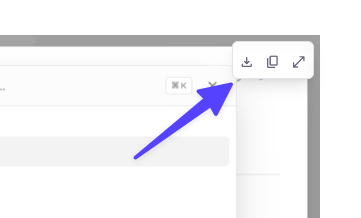
Pictures in a message behave like attachments. Hover any image for a small Download / Copy / Show original toolbar, or right-click for the same three actions. “Show original” opens the picture full size, with click to zoom.
-
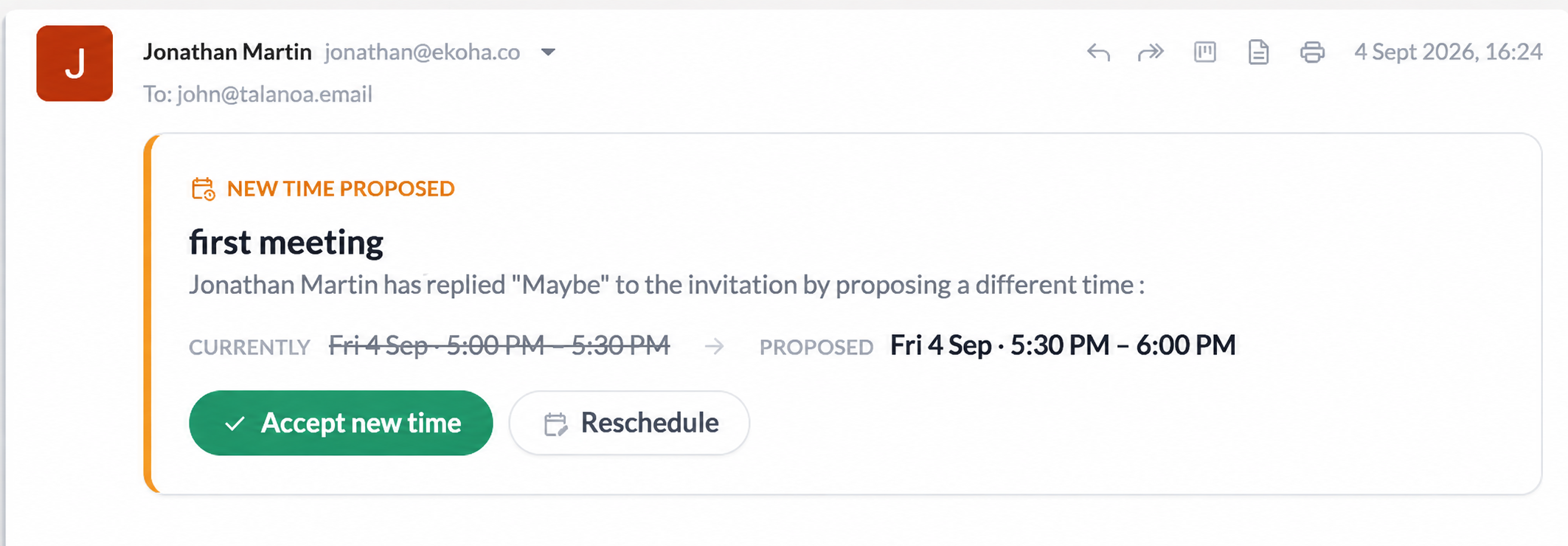
RSVP to a meeting time change from the email. When someone proposes a new slot, you can accept it right there instead of opening a browser tab.
🐛 Fixes & polish
- Bugfixes about Gmail inline images, email forwards with attachments, and the Windows installer.
