💬 The big one: your inbox now reads like a chat
This release changes how Talanoa shows an email thread.
Email is a conversation that forgot it was one. A thread between two people is a chat: a message, a reply, a reply to the reply. What you see is the opposite. Every message repeats the whole history, quoted and indented, plus a signature, a legal footer, a logo, a “Sent from my iPhone” and a header full of addresses. By the fifth reply, the two lines that matter are buried, and the message you opened the thread for sits at the bottom. We stopped noticing because we have read email this way for thirty years.
Building the mobile app made it impossible to ignore. Nobody pinch-zooms through quoted history on a phone. A conversation already has a shape everyone knows: bubbles, yours on the right, theirs on the left, newest at the bottom, a box to type in. We built that for mobile first. The desktop thread view suddenly looked like a fax.
So we rebuilt reading around the conversation, not the message. Open a thread you have replied to and you get a stream of bubbles. Each one shows only what that message added: quoted history, signatures, footers and “On Monday, John wrote:” are gone. What is left is the sentence the person typed. Long messages fold behind See more. Pictures sit inside the bubble, attachments under it, and dates appear once, as separators, the way they do in Messages or WhatsApp.
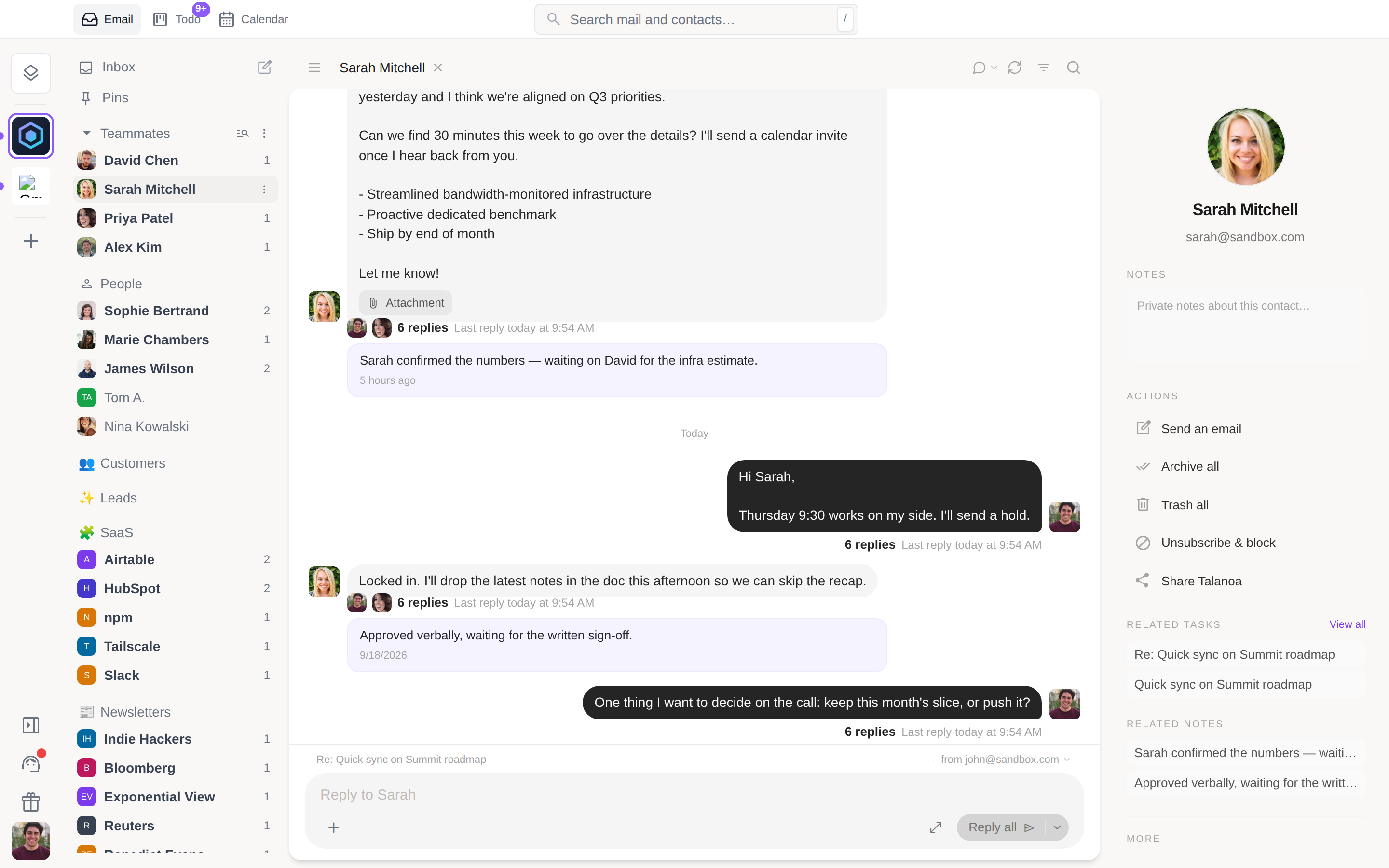
The stream is anchored at the bottom. Newest last, oldest at the top, older pages loading as you scroll back. A new message slides in at the bottom, where your eyes already are. After a week you cannot go back.
You reply from where you read. A reply box sits under the conversation. Type, hit Enter, and the message appears as a bubble right away, attachments included, with a small ring that drains over six seconds. Click it to undo: the text is back in the box. The full composer is one click away for a subject, a Bcc or a template, and everything you typed comes with you. Recipients come from the thread: a two-person conversation replies to the person, a group replies to everyone, with a Reply only switch when you want it private. Cmd+Enter or Ctrl+Enter still sends.
It works per sender too. Click a person in the sidebar and you get everything you have ever exchanged with them, one continuous conversation across subjects, reply box at the bottom. This is the view we now spend most of our day in. A colleague is a relationship, not a list of subjects.
Some mail is not a conversation, and Talanoa knows the difference. Newsletters, receipts, GitHub or Stripe notifications keep the full-width cards, newest one expanded. Bubbles only appear on threads you have written back to. Prefer the classic view? The toggle is in the header, and Talanoa remembers your choice per account.
😀 React to a message with an emoji
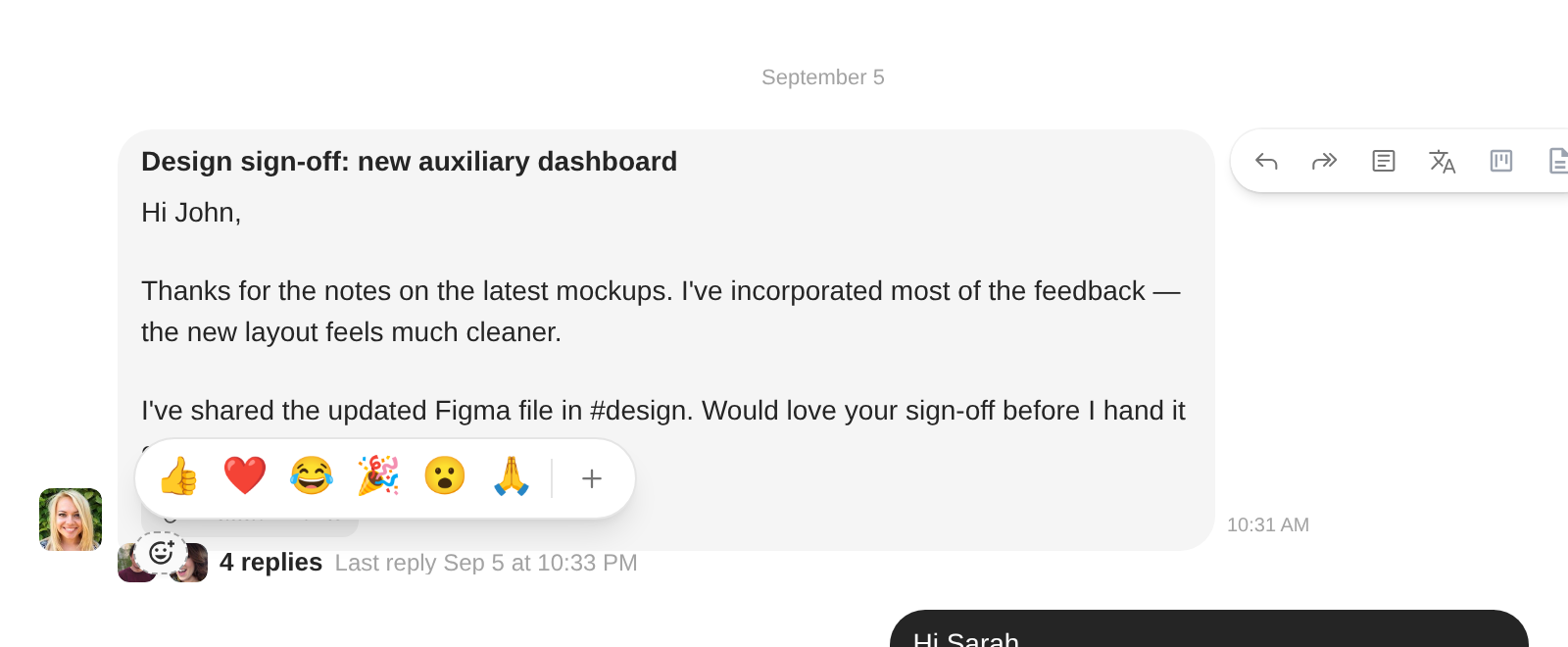
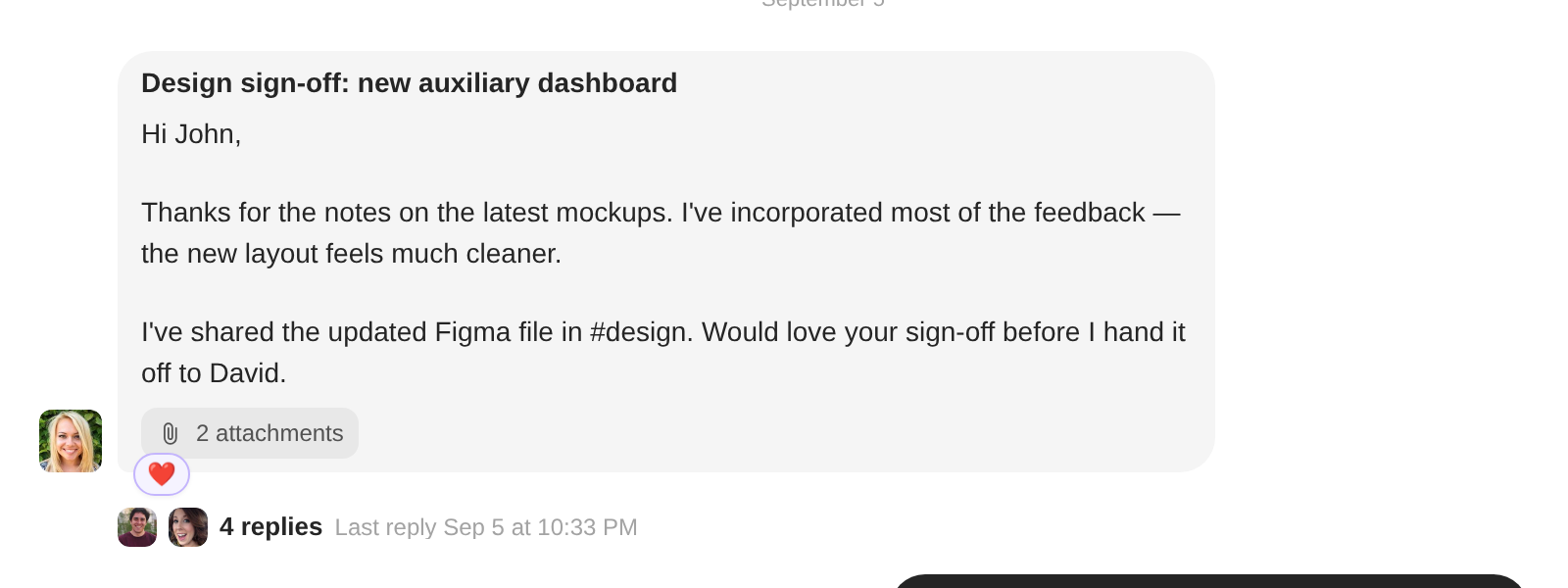
- A quick strip on every message. Hover a bubble and a small 😊 appears. One click for 👍 ❤️ 😂 🎉 😮 🙏, or the full picker. The reaction shows up as a pill under the message.
- Real email under the hood. A reaction is a tiny email to the sender, in the format Gmail understands. Gmail users see the emoji natively; everyone else gets a one-line ”🙂 John reacted” with your message quoted. Incoming reactions land as pills, not unread mail, and never bump your inbox count.
⚡ Priority: the inbox without the noise
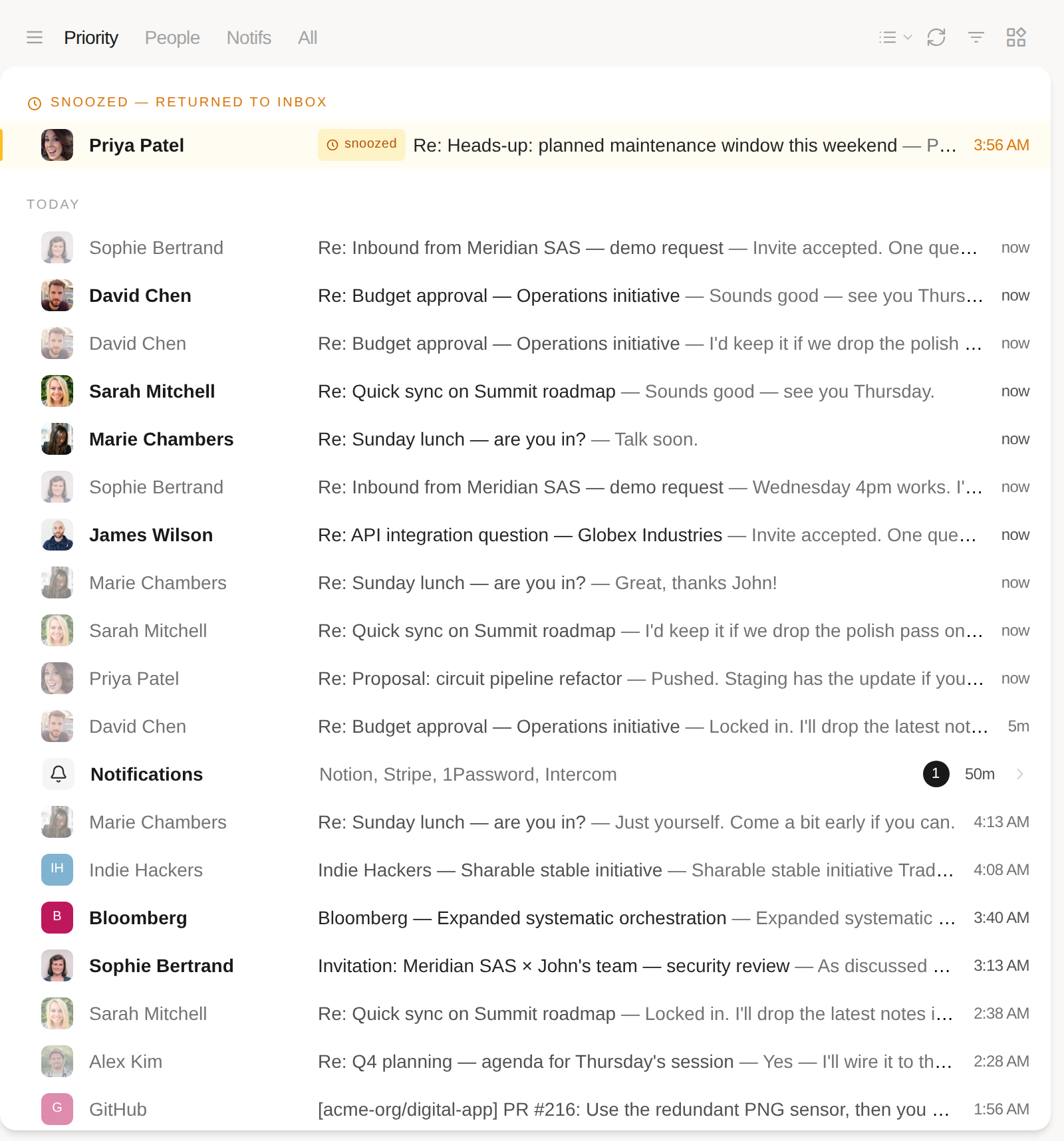
- A new first tab. Next to People, Notifs and All, Priority shows everything in your inbox except the notifications. Teammates always stay in it.
- Notifications fold into one row. The mail Priority leaves out is not hidden, it is grouped: a single Notifications row sits in the timeline at the time of the newest one, listing who sent them and how many are unread. Click it to open the Notifs tab.
- Your tab sticks. The tab you pick is remembered per account.
📅 Invitations from any calendar
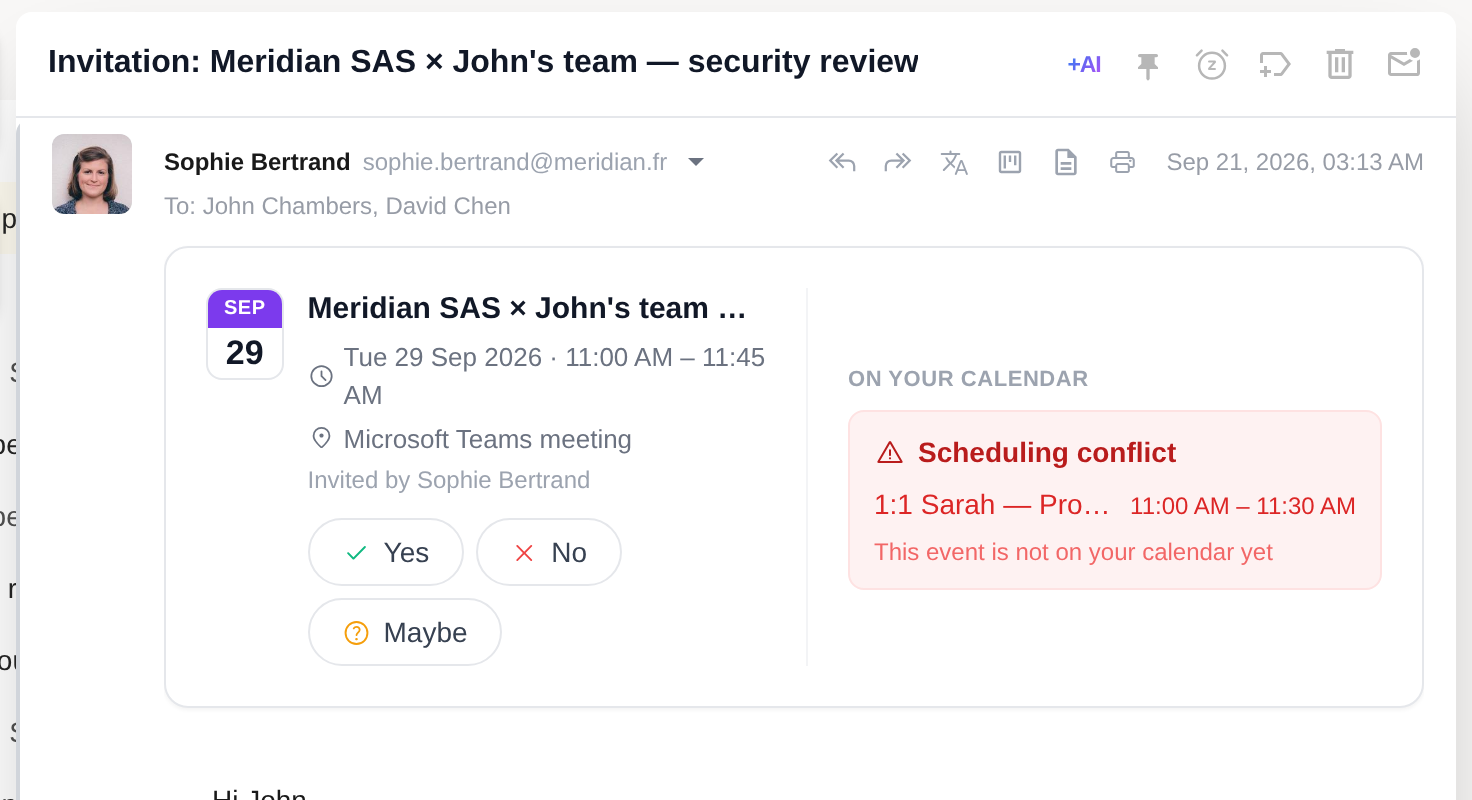
- RSVP on an .ics. Until now Talanoa only understood Google Calendar invitations. An invite from Outlook, Exchange, Apple Calendar or anything that sends a
.icswas just a paperclip. It is now a banner: the event, who invited you, Yes / No / Maybe, and the reply goes back as a proper calendar response. A published event with nobody to answer offers Add to calendar instead. - Conflict detection. The banner checks the slot against your calendar and warns when something is already there.
The mobile app already reads mail this way. Reactions and push notifications for new mail land in its next TestFlight build. If you want in, Settings → Devices → “I want to be a beta tester”.
