🧘 Zen Dashboard
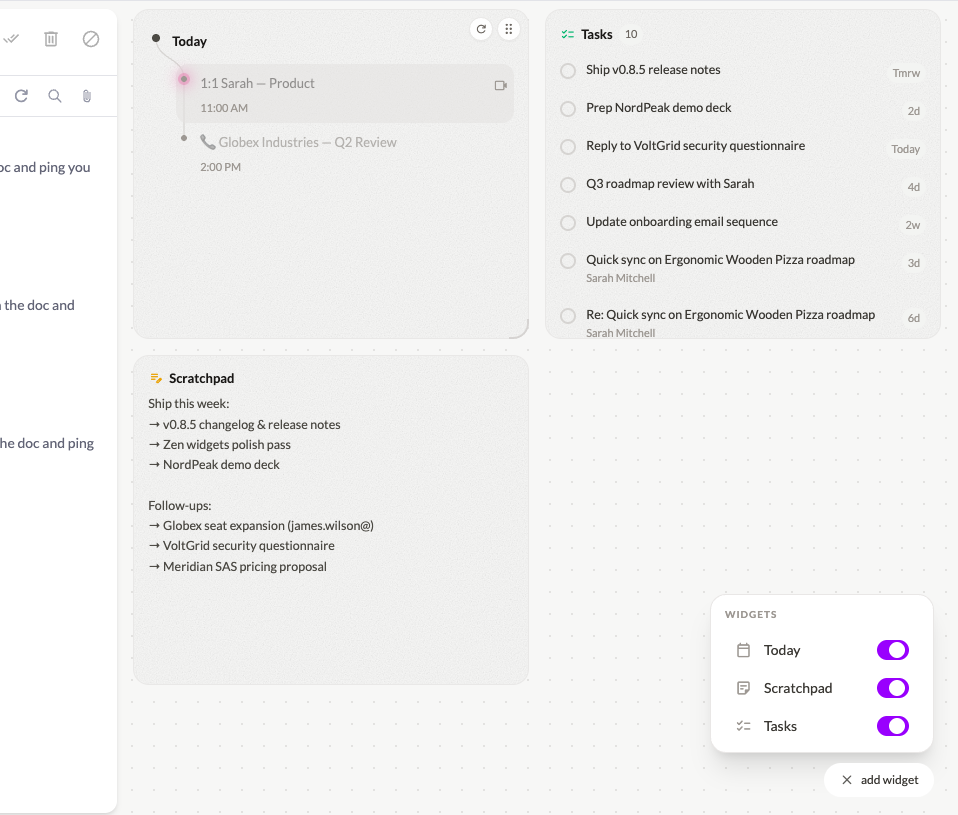
- Today planning — A brand-new home base built into the Zen dashboard. See what truly needs your attention today, plan your day without leaving the app, and start each morning with clarity. It’s a genuine game-changer for inbox focus.
- Scratchpad — A persistent, always-available notepad right on your dashboard. Jot down thoughts, copy snippets, or draft ideas without switching apps.
- Tasks — Lightweight task management woven directly into your dashboard so your to-do list and inbox finally live in the same place.
✉️ Multiple Compose Windows
- Write several emails at once — You can now have multiple compose windows open simultaneously. Reply to one thread while drafting a new email to someone else — no more closing one to open another.
- New modal compose — The compose window now opens as a centered modal by default, giving you more focus and screen real estate. It floats cleanly above your inbox and snaps to compact when you navigate away.
↩️ Undo Send
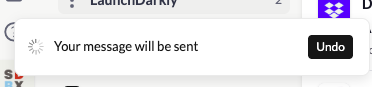
- 6-second sending delay with Undo — Every email you send now has a 6-second window to cancel it before it leaves your outbox. Caught a typo, forgot an attachment, or sent to the wrong person? Hit Undo and get it back. This one could save your life.
🔧 Advanced Rules
- Filter by “To” address — Rules can now match on the recipient field, not just the sender. Perfect for sorting alias-based inboxes: route emails sent to
support@,billing@, or any alias exactly where they belong.
🧠 Smarter Email Classification
- Improved people vs. notification detection — The classification engine has been refined to more accurately distinguish real conversations from automated mail. Fewer newsletters in your People section, fewer colleagues in Notifications.
📥 Drag Emails into Sections
- Direct drag-and-drop from Inbox to Sections — You can now drag an email from your inbox and drop it directly into any Section to reclassify it on the spot. No menus, no friction.
⚡ Performance & UI
- Assorted UI fixes, visual polish, and speed optimizations for a smoother everyday experience.
