v1.0.1
Find in a conversation, and emojis
✨ New & improved
- Find text in a conversation. Press
Cmd+F(Ctrl+Fon Windows and Linux) in an open conversation to search it, email bodies included. Matches are highlighted,EnterandShift+Enterjump between them, andEscapecloses the bar. Case and accents don’t matter. You can change the shortcut in Settings → Shortcuts (Find in conversation).
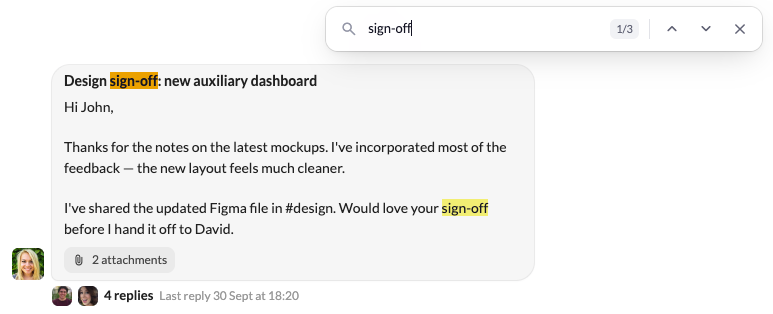
- Emojis in your emails. The reply box of a conversation has an emoji button right next to +. In the composer, type
/and pick Emoji. Both open the emoji picker and drop your pick where your cursor is. - Show more people in the sidebar. The Limit menu of Teammates, People, Notifications and your own sections now goes up to Max 25 and Max 50.
🐛 Fixes & polish
- [IMAP] Emails to yourself show up in your inbox. An email you sent to yourself, or a copy you Bcc’d to yourself, only appeared in Sent and never in your inbox. It now shows in both.
- Each email listed once. The same email could appear several times in a row in the inbox when its sender had several entries in your Google contacts. The arrow keys got stuck on those rows, and archiving one archived them all. Each email shows once now.
- [Gmail] Google sign-in no longer hangs on Connecting. Adding a Google account could stay on Connecting forever, for example when another app was using the same local port or a firewall stepped in. Sign-in now goes through, or tells you what blocked it, and trying again works.
- Search results open from Support. Opening an email from search while on the Support screen did nothing visible. The email now opens over your inbox.
