Clearer conversations, and replies ready to go
💬 The big one: conversations that make sense
Open a person, and you see your conversations with them, not a pile of messages. The chat view used to line up every message in order, as if each one answered the one above it. With several threads going at once, or several people in one, that was often false, and I kept losing track of who was answering what. So I rebuilt it around threads.
- One card per thread. Each card shows its subject, who started it (“You” for your own), who is in it, how many replies it has and the latest one at its foot. Cards follow their last activity, so the one at the bottom is the one you are most likely to answer.
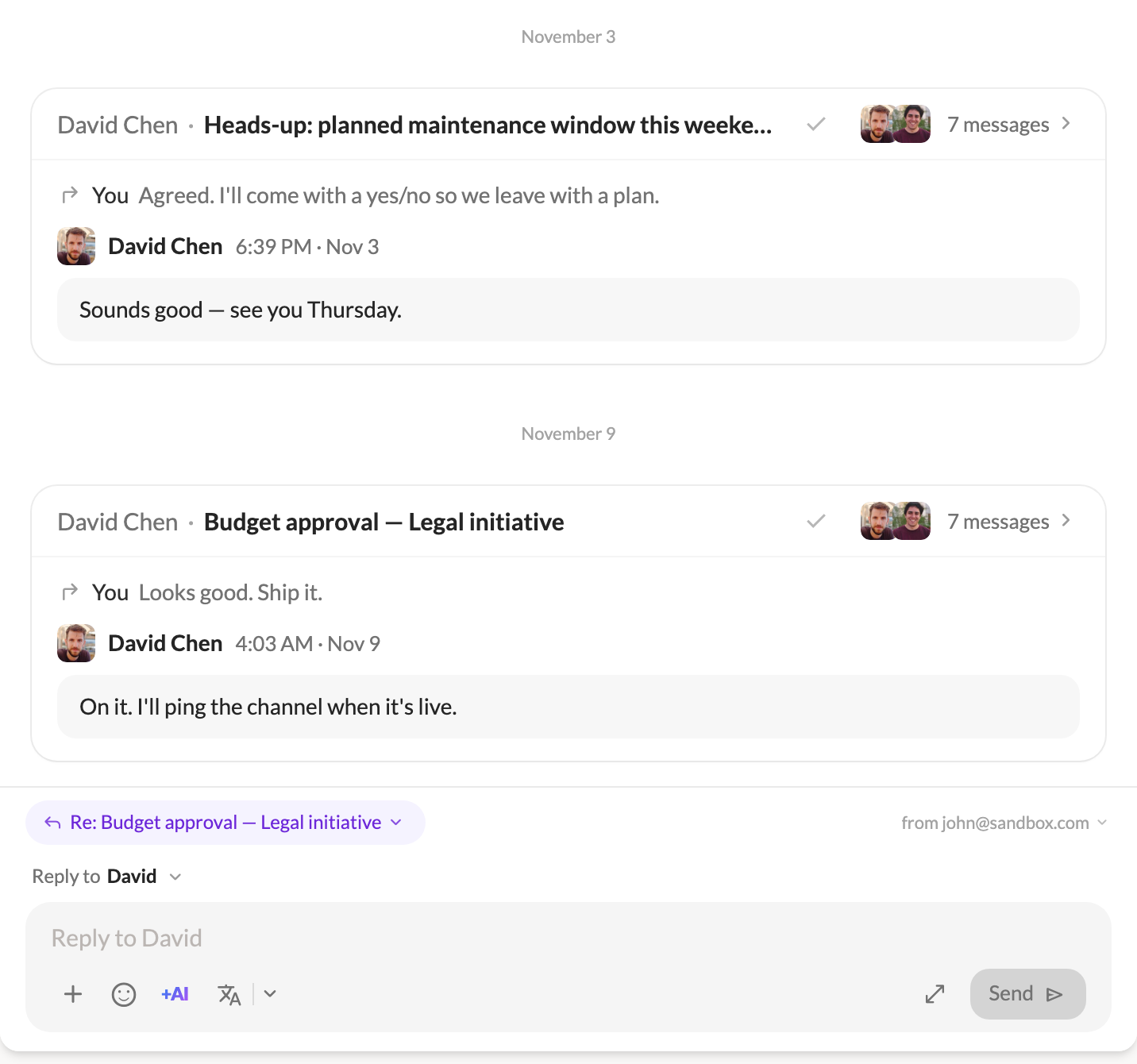
- The thread’s actions sit on its card. Archive, labels and the AI summary are in the card’s header. An archived thread’s card goes quiet, and its check mark moves it back to the inbox.
- See what a message answers. When a message replies to an earlier one that is not right above it, a quiet line above its bubble names that message. Click it to jump there. If the message it answers is not in your mailbox (you were only copied on the reply), Talanoa says so.
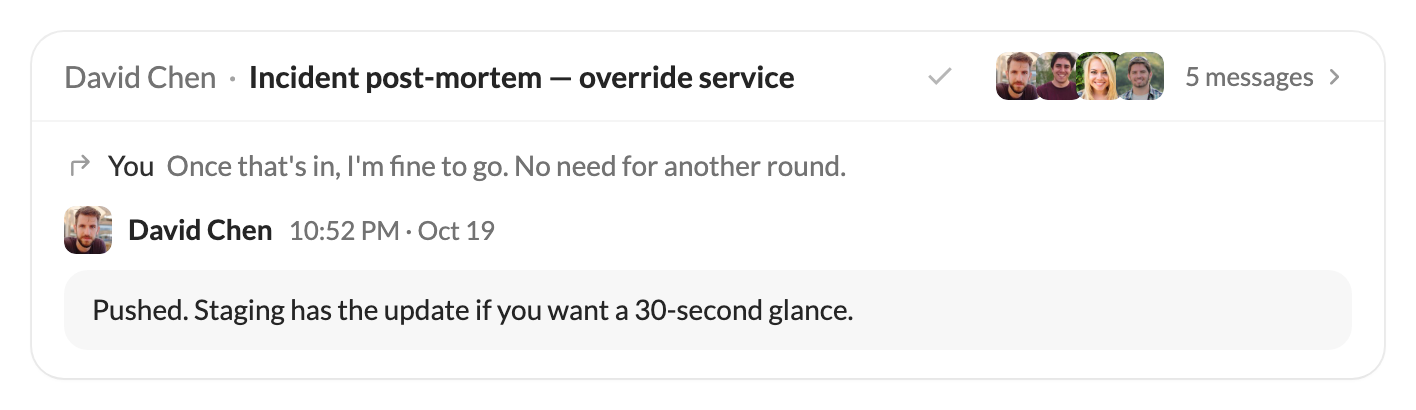
- Colleagues, told apart. Two people from the same company used to share the company’s logo, so a thread between them showed one face twice. In a conversation, each person now gets their own initials and color, with the logo as a small badge.
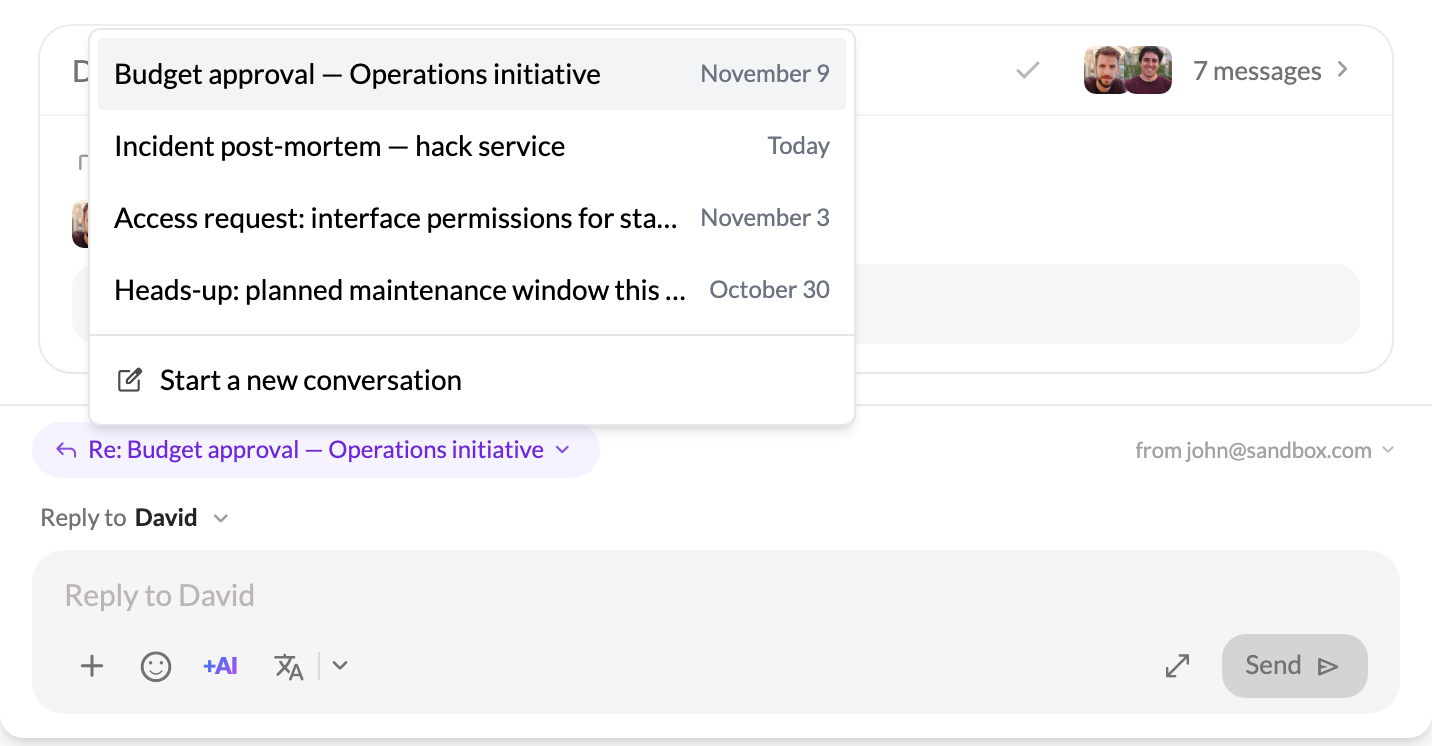
- Choose the thread you answer. The reply box stays at the foot of the view and shows which thread it answers: its subject, a reminder of the message, and who is in it. Click the subject to pick another thread, or Start a new conversation. Your reply lands on its thread’s card right away.
A huge thank you to Davy for all the hours spent testing this, and for racking their brain to imagine the best chat experience Talanoa could have. This view owes Davy a lot.
🪄 Replies ready to go
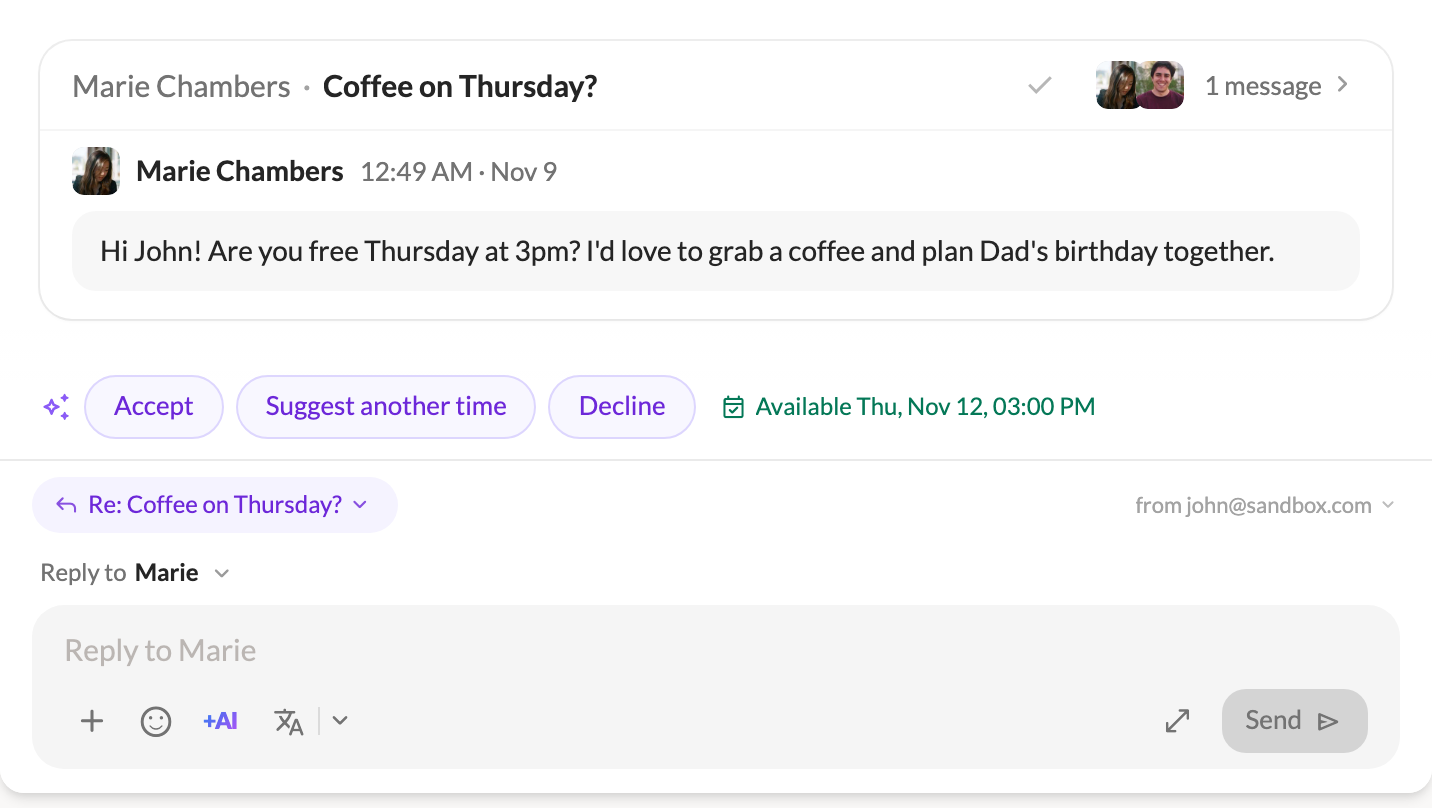
When someone writes to you with a question, the answers are waiting when you open it. With AI set up, Talanoa reads the emails people send you (not newsletters) as they arrive and prepares two or three short replies. They float above the reply box: one click fills it, and you can edit before sending.
- Meeting requests, checked against your calendar. An email asking for a time always gets Accept, Suggest another time and Decline. With a calendar linked, Talanoa tells you if you are free or busy at that time, and Suggest another time opens your free slots so you can pick a few.
- Ask AI knows the conversation. Ask AI in the composer now reads the thread you are answering and your notes on it, and writes in your usual style. Your notes guide the reply but are never quoted. On an empty draft, it answers in the language of the latest message.
- +AI in the chat reply box. Ask AI, Rephrase and Proofread now work in the reply box under a conversation too, with Undo on Rephrase and Proofread.
✨ New & improved
- Toggle the sidebar with
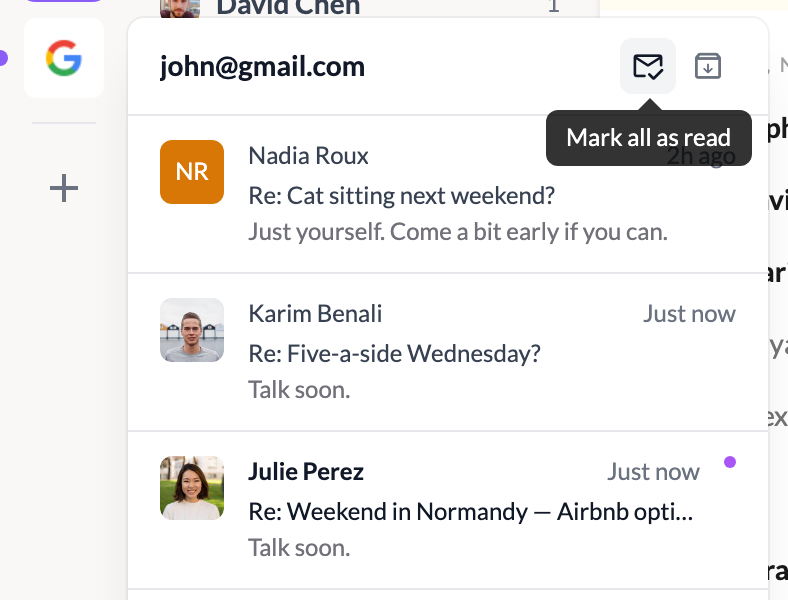
Cmd+B. (Ctrl+Bon Windows and Linux.) You can change the key in Settings → Shortcuts. While you write an email,Cmd+Bstill makes text bold. Thanks to the user who asked for it. - Clear an account’s preview in one click. The account preview in the left rail now has Mark all as read and Archive all, with an undo. They only touch the conversations it listed.
- Every section in the inbox header. In the classic view, the header now has a filter for Teammates and for each of your own sections, remembered per account.
- [IMAP] Search looks in every folder. Server search now covers your archive, sent mail and your own folders, not just the inbox.
🐛 Fixes & polish
- [IMAP] Server and app stay in step. Moving a thread keeps all its messages, labels reach every message, drafts land in Drafts and stay in their thread, and missing Archive, Trash or Junk folders are created.
- [Outlook] Attachments show up right. Sent drafts keep the files added later, and the attachments button only appears when there is something to list. Thanks to the user who reported this one.
- Deleted means deleted, blocked means recoverable. Empty trash and Delete all spam no longer bring mail back, and cover every account in the unified inbox. Clean now sends a sender’s mail to the trash instead of deleting it for good.
- Your saved passwords follow you to another folder, user or computer. If your password manager refuses access, a banner says so and accounts show Reconnect needed.
- A faster sidebar. Its counts refresh in milliseconds, down from about a second on big mailboxes.
