In September, 0.11 turned your threads into chat bubbles. No quoted history piling up, no signatures repeated five times, just the lines that matter. I still think it was the right call.
It also rested on an assumption I didn’t question enough: that every message answers the one right above it.
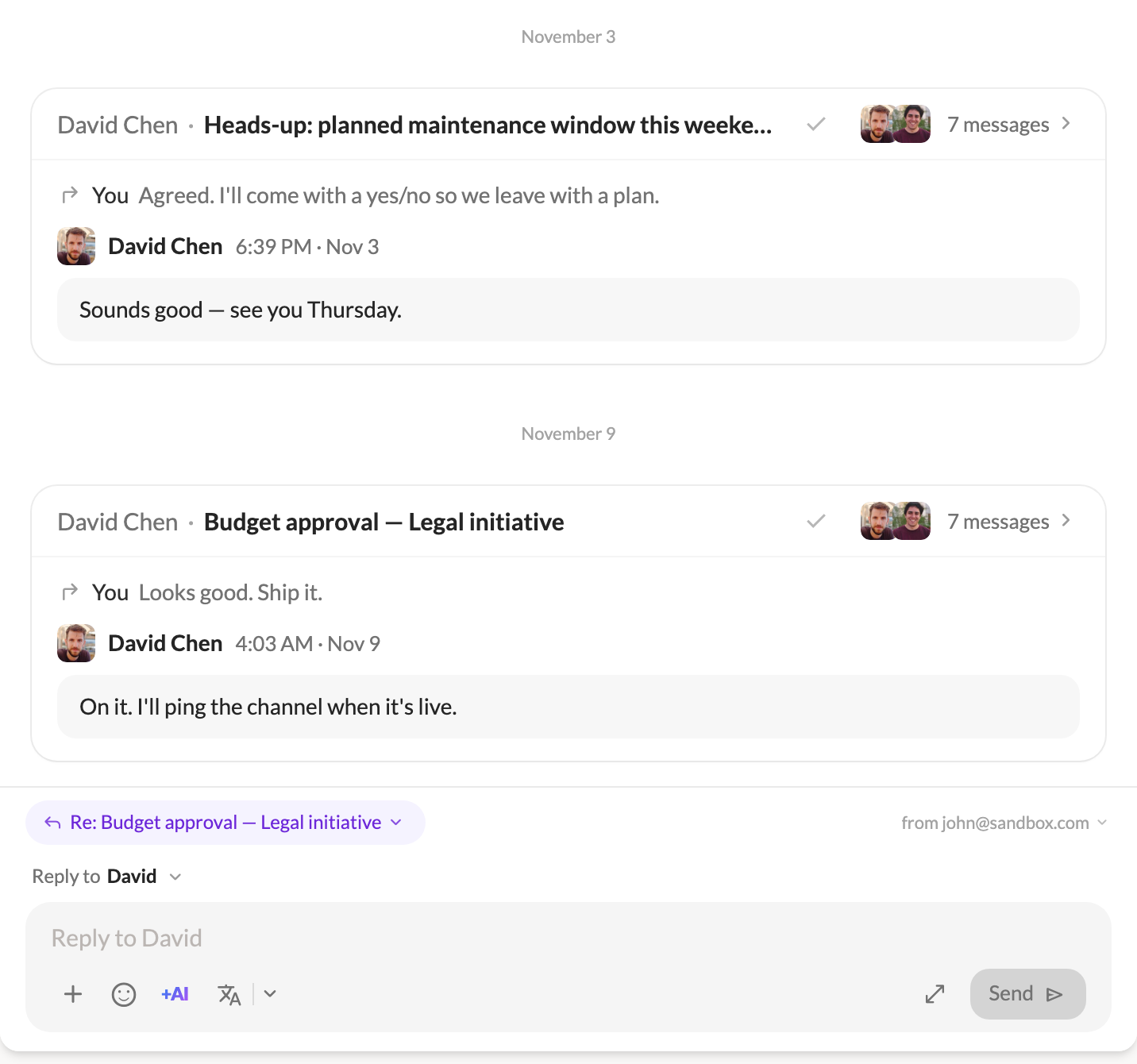
With two people and one subject, that’s true. It stops being true when David has three things going with you at once: the invoice, the Thursday meeting, the contract his colleague just joined. In one long column of bubbles, his “sounds good” sits under your question about the contract, when he was answering the meeting. The view looked calm and told you the wrong story.
I lost track of who was answering what in my own inbox. So in 1.2 I rebuilt the conversation view around threads.
Open a person, and you now see your conversations with them, not a pile of messages.
Each thread gets its own card. It shows the subject, who started it (“You” for your own), who’s in it, how many replies it has, and the latest one at its foot. Cards are ordered by their last activity, so the one at the bottom is the one you’re most likely to answer next.
What you do to a thread now sits on its card. Archive, labels and the AI summary live in the card’s header. An archived thread’s card goes quiet, and its check mark moves it back to the inbox.
Inside a thread, replies don’t always come in order. Someone answers your first message after two others have already gone back and forth.
When a message replies to an earlier one that isn’t right above it, a quiet line above its bubble now names the message it answers. Click it and you jump there. If that message isn’t in your mailbox, because you were only copied on the reply, Talanoa tells you so instead of guessing.
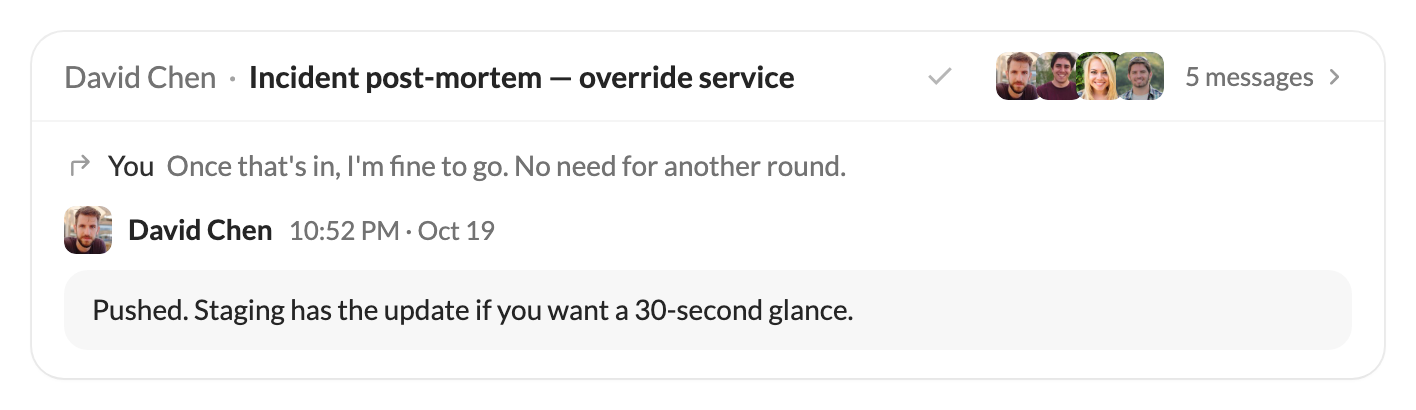
One smaller fix made a bigger difference than I expected. Two people from the same company used to share the company’s logo, so a thread between them showed the same face twice. In a conversation, each person now gets their own initials and color, with the logo as a small badge.
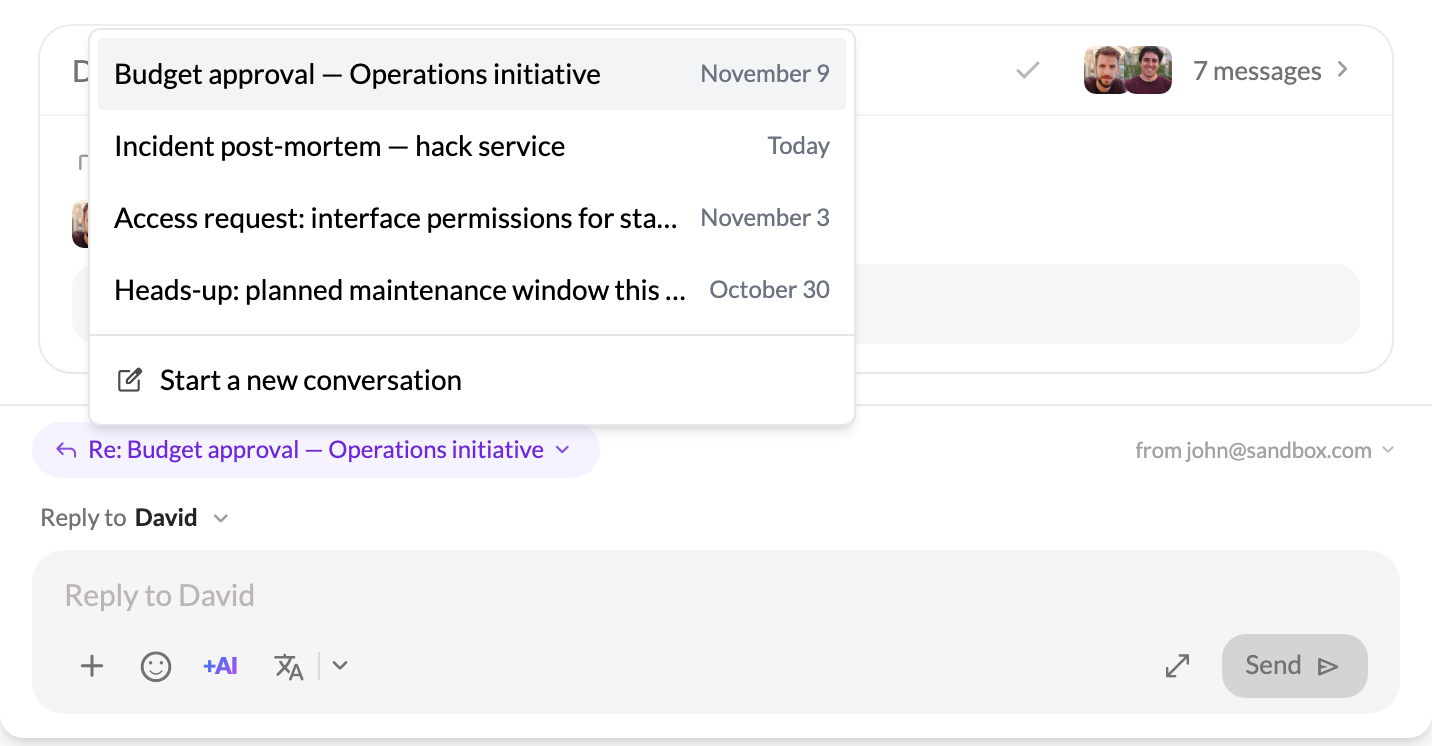
The reply box still sits at the foot of the view, where you read. What’s new is that it tells you where your words will land: the thread’s subject, a reminder of the message you’re answering, and who’s in it.
Click the subject to pick another thread, or choose Start a new conversation. Your reply shows up on its thread’s card right away.
A plain column of bubbles is easier on the eye. Cards add things to read: a subject, names, a reply count. For someone you only ever have one thread with, that’s a bit more on screen than before.
I took that cost on purpose. A view that looks simple but pins replies on the wrong message is worse than a view with a little more on it. Email has threads, and pretending it doesn’t made the chat view less honest than the old one it replaced.
The second half of this release is about the moment after you’ve understood the conversation: answering it.
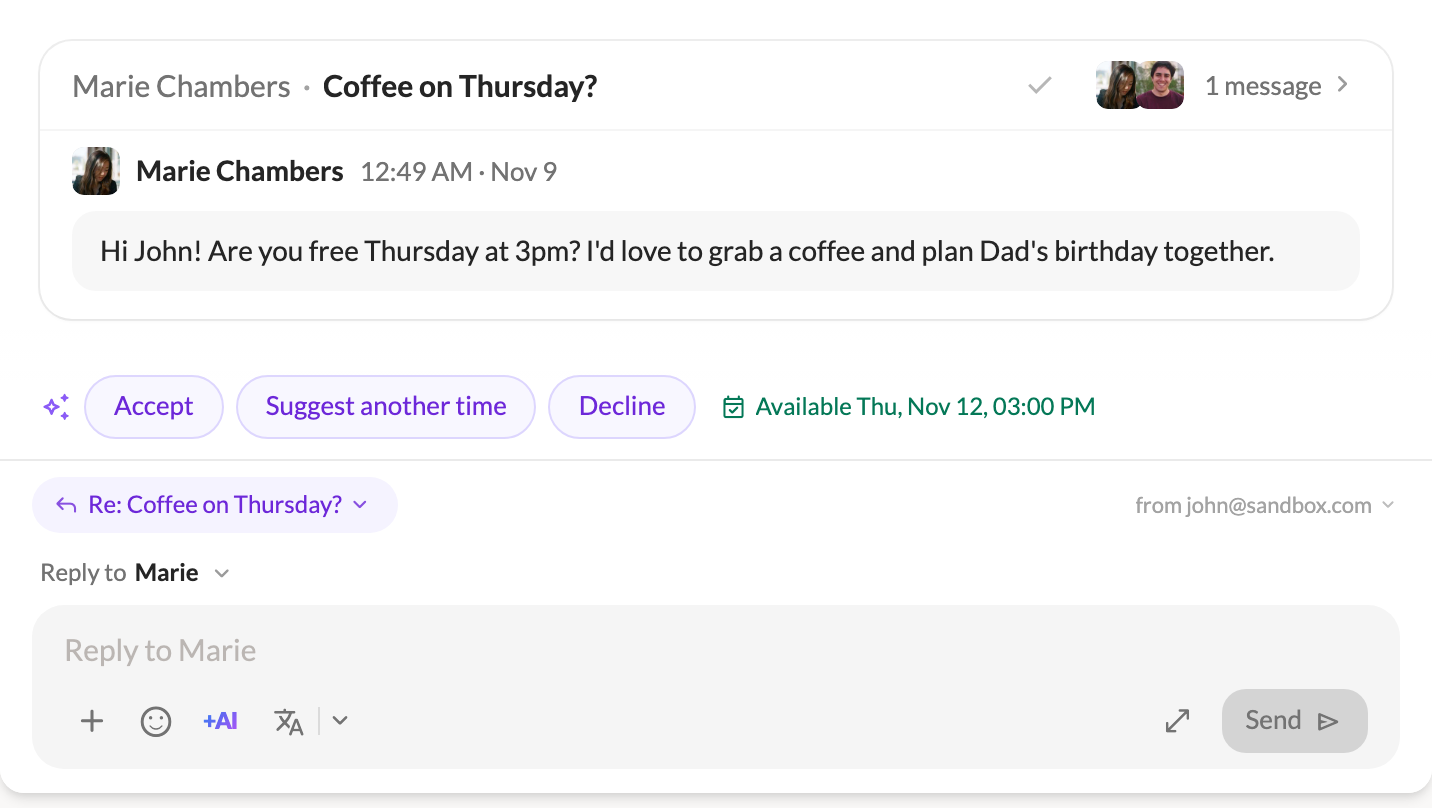
If you’ve set up AI in Talanoa, it now reads the emails people send you as they arrive (not newsletters) and prepares two or three short replies. They float above the reply box when you open the email. One click fills the box, you edit what you want, and you send it yourself. If you haven’t set up AI, nothing changes for you.
Meeting requests get special treatment. An email asking for a time always gets Accept, Suggest another time and Decline. With a calendar linked, Talanoa tells you whether you’re free or busy at that time, and Suggest another time opens your free slots so you can offer a few.
Ask AI in the composer now reads the thread you’re answering and your notes on it, and writes in your usual style. Your notes guide the reply but are never quoted. On an empty draft, it answers in the language of the latest message. And Ask AI, Rephrase and Proofread now work in the reply box under a conversation too, with Undo on Rephrase and Proofread.
Cmd+B toggles the sidebar (Ctrl+B on Windows and Linux), and you can change it in Settings → Shortcuts. While you write an email, Cmd+B still makes text bold. Thanks to the person who asked for it.
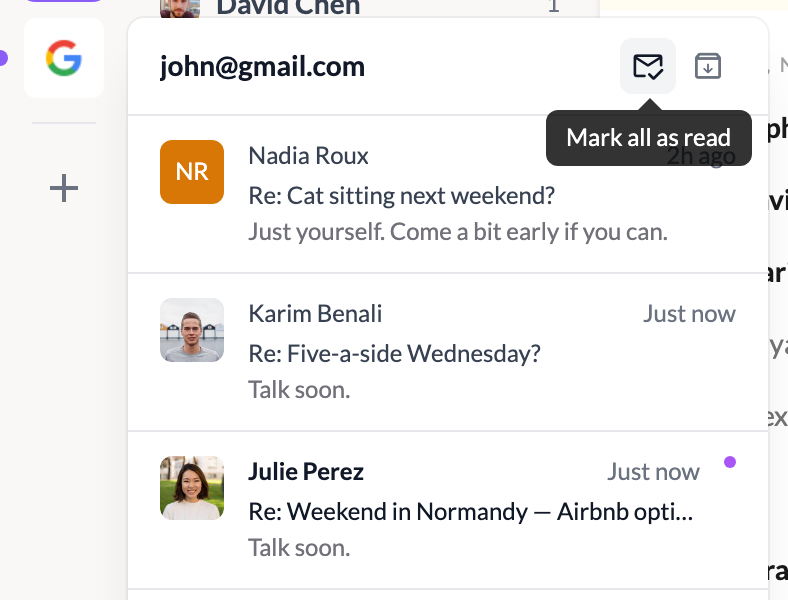
Clear an account’s preview in one click. The account preview in the left rail now has Mark all as read and Archive all, with an undo. They only touch the conversations it listed.
In the classic view, the inbox header now has a filter for Teammates and for each of your own sections, remembered per account. On IMAP, server search now looks in your archive, sent mail and your own folders, not just the inbox.
The fixes are the kind you only notice when they go wrong. On IMAP, moving a thread keeps all its messages, labels reach every message, drafts land in Drafts and stay in their thread, and missing Archive, Trash or Junk folders get created. On Outlook, sent drafts keep files you added later (thanks to the person who reported it). Empty trash and Delete all spam no longer bring mail back, and Clean now sends a sender’s mail to the trash instead of deleting it for good, so a blocked sender stays recoverable. Your saved passwords follow you to another folder, user or computer. And the sidebar’s counts refresh in milliseconds, down from about a second on big mailboxes.
The full list is in the 1.2.0 changelog.
Update, open the person you write to most, and look at your threads with them. If a card still tells the wrong story, send it my way. As always, I read every message.
— John
Try Talanoa
Why spend hours managing your inbox when you can focus on what matters?
Get started free