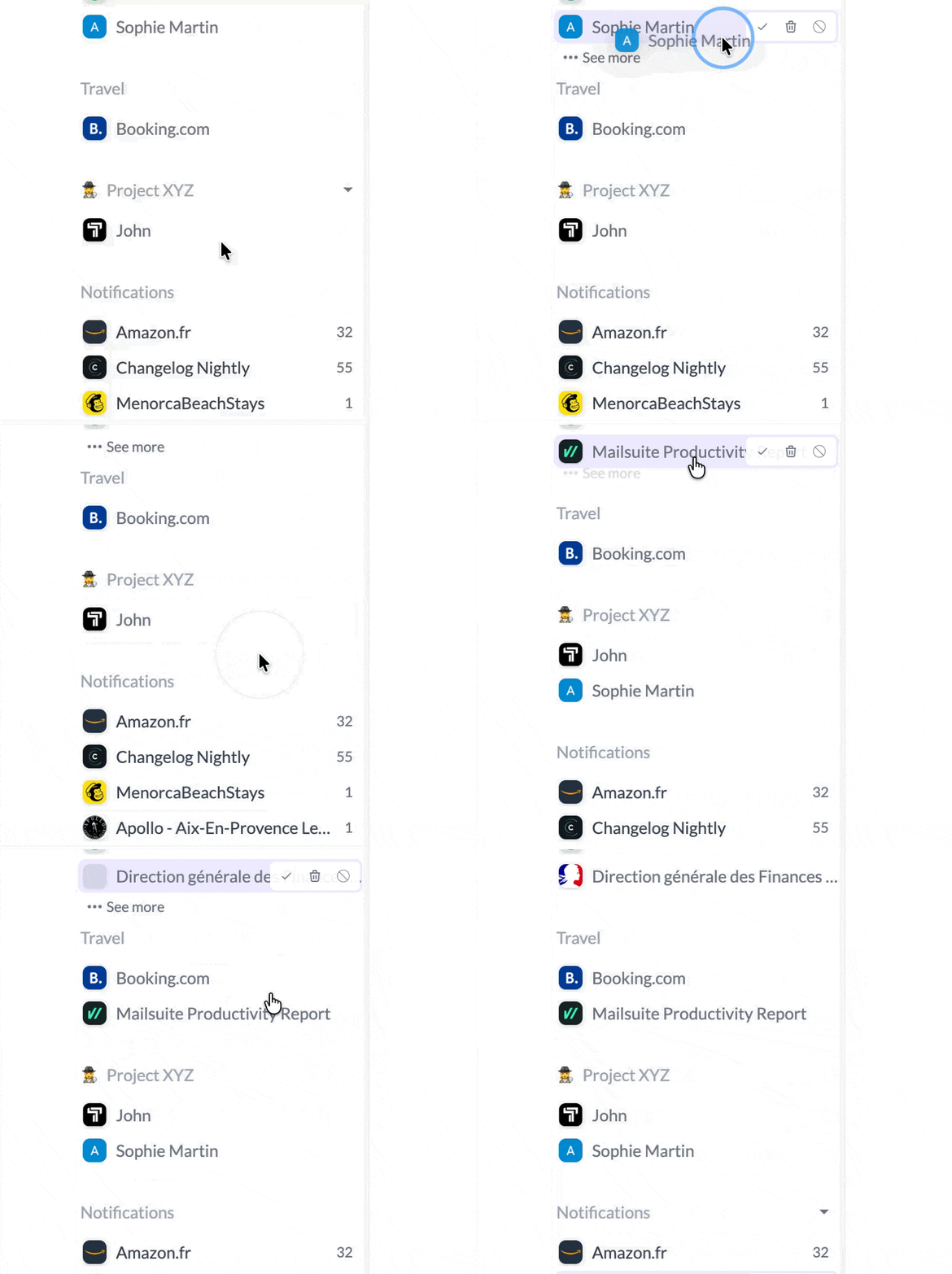
Dark mode & AI writing tools - Your inbox just got smarter
🌙 Dark mode is here! (Beta)
After countless requests, dark mode has finally arrived! Switch between light and dark themes with a single click.
Whether you’re burning the midnight oil or just prefer a darker interface, your inbox now adapts to your style. The dark theme has been carefully crafted to reduce eye strain while maintaining perfect readability and contrast.
Important note: Dark mode is currently in beta. The interface itself fully supports dark mode, but we’re still working on converting email content to dark mode - and it’s proven to be much harder than we initially thought! Email HTML is notoriously complex, with inline styles, embedded images, and various formatting that makes automatic dark mode conversion tricky. We’re actively working on this, and you’ll see email content properly converted in a future update.
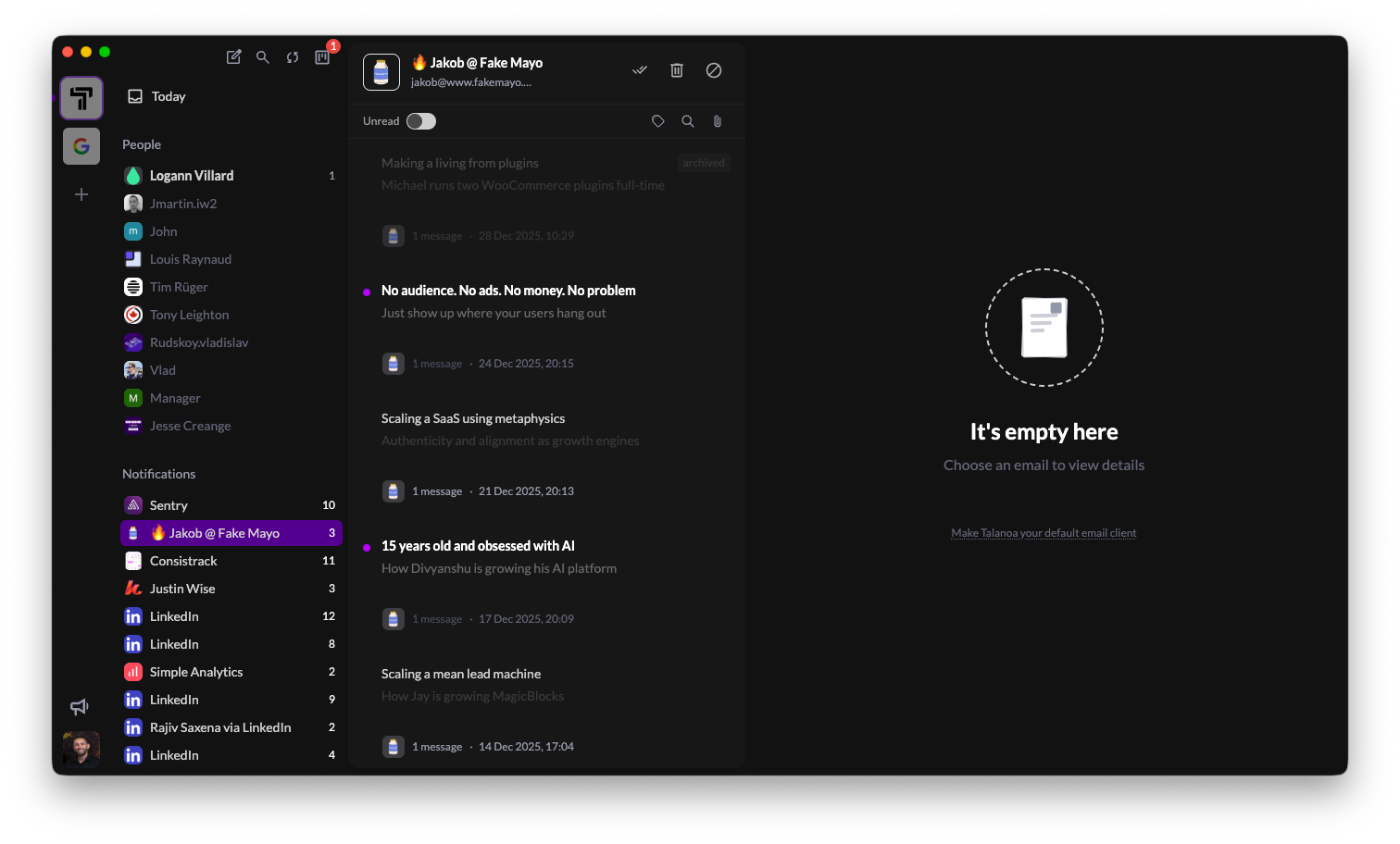
✍️ Apple Writing Tools compatible
Talanoa now fully supports Apple’s Writing Tools on macOS! When you’re composing or replying to emails, you can use macOS’s built-in AI writing features directly in Talanoa.
What this means for you:
- Rewrite - Let AI help you refine your message tone and clarity
- Proofread - Catch typos and grammar issues before hitting send
- Summarize - Get quick summaries of long email threads
- Shorten - Make your messages more concise with one click
All of Apple’s Writing Tools work seamlessly within Talanoa’s composer. Just right-click in any text field and select from the Writing Tools menu. It’s like having a writing assistant built right into your email workflow.
This is especially powerful when you’re crafting important emails or need to communicate clearly across different contexts. Your words, enhanced by AI - all without leaving Talanoa.
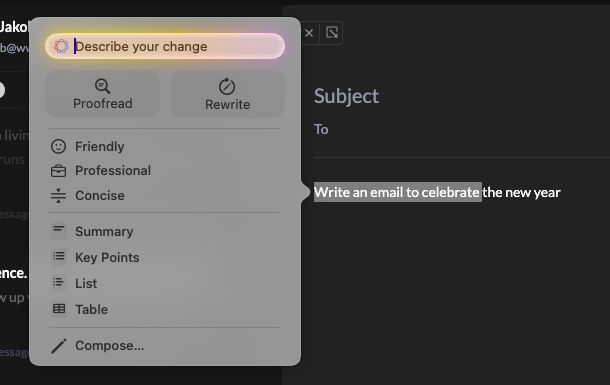
🎨 Polish & refinements
- Keyboard navigation in Sender view - Navigate through emails and use keyboard shortcuts to archive or delete emails directly from the Sender view. Power users, this one’s for you!
- Improved UI for archived emails - Archived emails now have a cleaner, more intuitive visual treatment that makes it easier to see what’s been processed
- Always-visible global actions - The top-left global actions (compose, pull, search, todo) are now always displayed, giving you instant access to the most important functions no matter where you are in the app
- Three-dot menu on People - Quickly interact with all emails from a sender using the new three-dot menu. Archive all, trash all, or block a sender with just a few clicks
Thanks to everyone who requested dark mode - this one’s for you! 🎁
Rename senders & bug fixes
✏️ Rename senders - Finally!
You can now rename any sender in your inbox. This is incredibly useful when:
- A service just shows “Support” instead of the actual company name (looking at you, various SaaS tools!)
- Services like GitHub where the sender name changes with each notification (different bot names, etc.)
- You want to organize senders with custom names that make more sense to you
This might seem like a small feature, but it’s one of those quality-of-life improvements that makes a huge difference in daily use. Your inbox, your rules!
🐛 Bug fixes
- Fixed an issue where modals could appear behind the Today section - they now properly display on top as they should
Thanks a lot to Vlad & Clément for their feedback
Today section filters & performance improvements
📅 Today section - Major upgrade!
The Today section just got a massive upgrade! I’ve been working hard on making it way more powerful and flexible.
New filtering capabilities:
- Switch between All, People, and Notifications with one click - see exactly what you need
- Unread only mode - focus on what needs your attention right now
- Archived only view - quickly find emails you’ve already processed
This is a game changer for managing your daily email flow. No more scrolling through everything to find what matters.
Performance boost:
- The screen now loads significantly faster - I’ve optimized the data fetching and rendering. You’ll notice the difference immediately, especially if you have a lot of emails.
The Today section is becoming the command center for your inbox. Try it out and let me know what you think!
Gmail sync improvements & new sections
🔄 Gmail sync
- Improved Gmail synchronization for better reliability and faster email updates
📋 New sections
- Brand new design for the “see more” section for all teammates/people/notification
This section is not reactive yet for realtime changes (but will be soon)
- New UI for the “Today section” with all your email available directly. Infinite scroll, unread filter and search.
Attachment preview & UI improvements
🎨 UI improvements
- Some UI improvements on Sender and Today view
📎 Attachments
- Attachment preview (for image) & download (for other files) when we are writing an email
Navigation improvements & Today view enhancements
⌨️ Shortcuts
- New shortcuts
G then T => go to Todo
G then H => go to Today view
✅ Todo
- Fix issue on three dot menu
- Change the empty state to be able to create a task from it
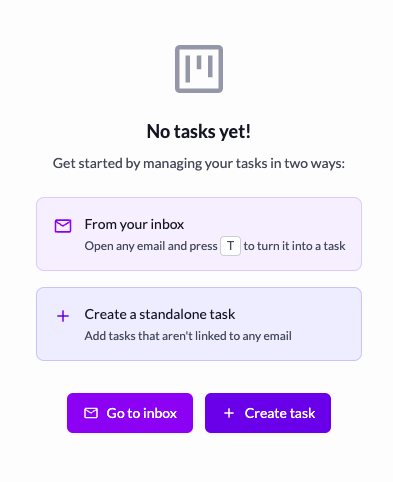
📋 Menu sidebar with senders
- I changed the hover action menu to be on hover of the picture to avoid misclick
👤 Accounts
- Added the possibility to delete the custom picture (to switch to gravatar or initial as fallback)
📁 Custom Section
- Add help to explain that you should move people from a section to be able to remove a custom section
📅 Today View
-
I added navigation with arrows top and down (game changer!!)
-
and use directly shortcuts like E to archive, Del to trash and Shift U to mark as unread if needed
— Thanks a lot to Vlad, Simon & Yannick for their feedback
Bug fixes & improvements
🔧 Bug fixes & improvements
- This release includes some minor bug fixes and removes some useless logs (used for local debug) that may contain your credentials (Thanks to Richard for his feedback)
Compose view improvements & shortcuts
📝 Compose view
- Add the possibility to drag the compose view in the app (to be able to see message behind if needed)
⌨️ Shortcuts
- Add the Escape shortcut to close the compose and the two action: “save & close draft” or “delete draft” (Thanks Simon for his feedback)
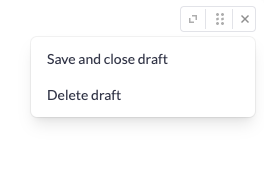
- Add shortcuts CMD + Enter to send the email
👤 People/Sender view
-
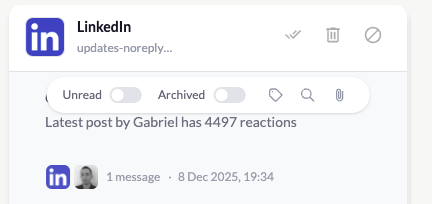
UI Improvement on people/sender header section
-
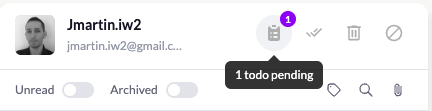
On People/Sender header, added a icon if there are pending todo with this person
Synchronisation improvements & new shortcuts
🔄 Synchronisation
- Email are pulled automatically every 30 seconds now (before it was 1 minute)
- When you focus the app Talanoa, it automatically pull new message directly for the current inbox
Thanks Moez for his feedback
⌨️ Shortcuts
- You have new shortcuts
E to mark as done / archive a message
Backspace to trash a message
Shift U to mark unread a message
C to compose a new message (and if we are in a sender view, we automatically add it as recipient)
Thanks Seth and Simon for their feedback
👤 Sender view
- Refactoring of the UI to be able to:
filter unread or archived message / search message for the current sender. It’s still not perfect, feedback are welcome if you have idea on how I can make it awesome!
Thanks Richard for his feedback
Big update!!
🎯 Custom sections
Create your own custom sections to group senders exactly how you want. Organize your inbox by project, priority, team, or any system that makes sense for your workflow. You have complete control over how your emails are organized—no more being locked into predefined categories.
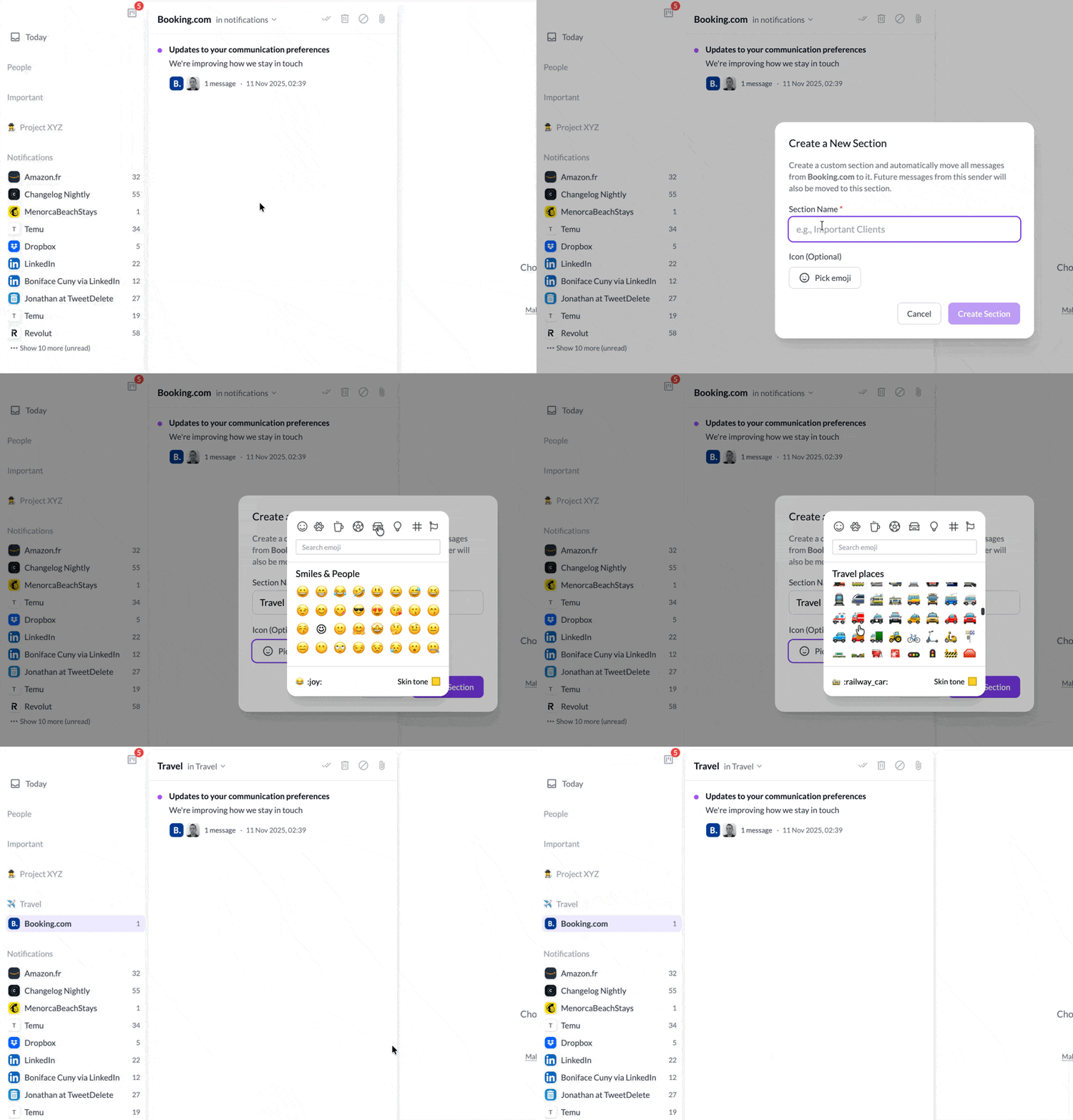
Drag and drop senders into your custom sections, rename them, and reorganize them as your needs evolve. Your inbox, your rules.