How to customize your Todo board
Add, rename, reorder or remove the columns of your Todo board, so it matches the way you work.
- Time needed
- About 2 minutes
- What you need
- Talanoa, and Talanoa Pro to change the columns
Your board, your way 🧩
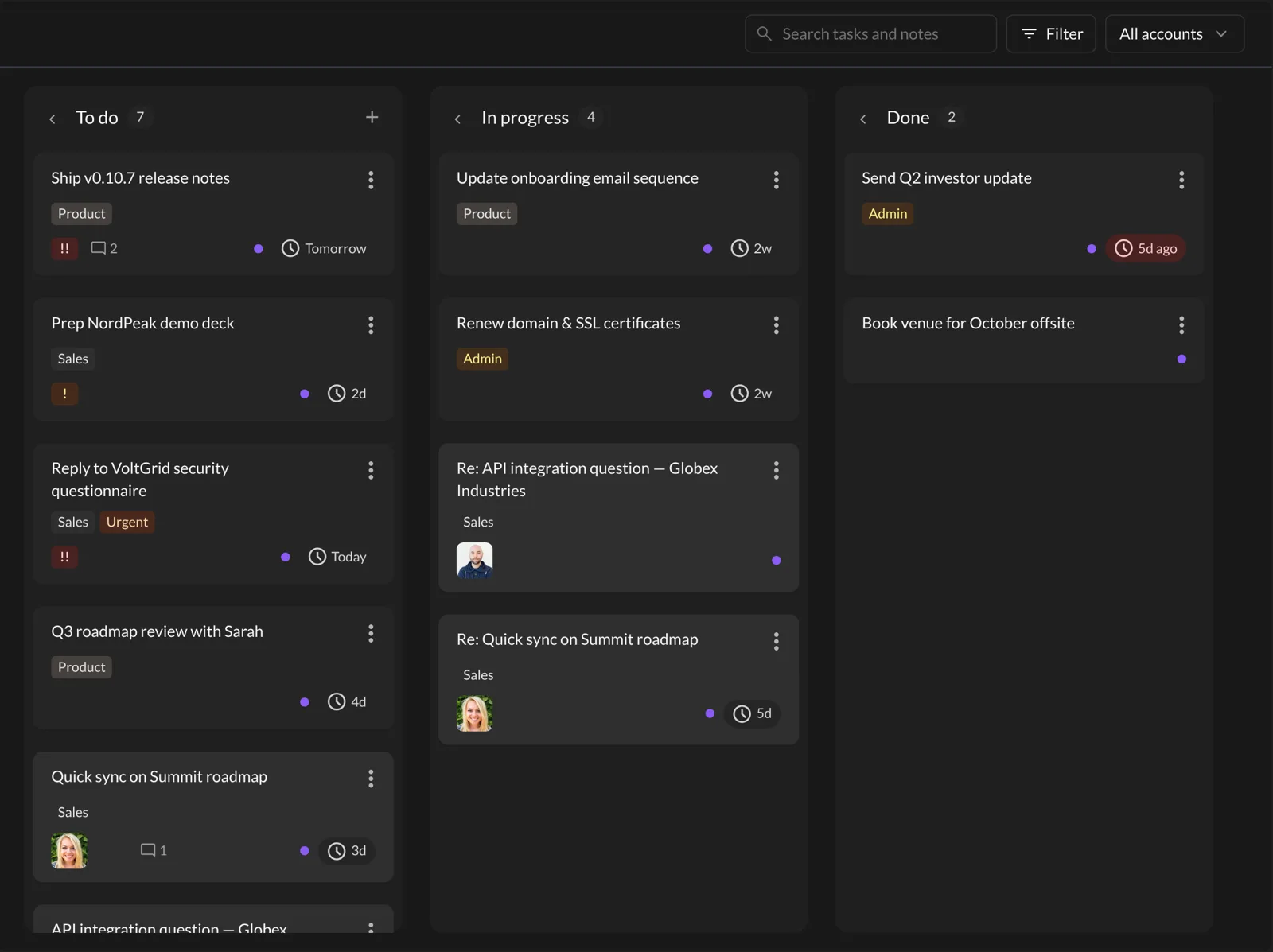
Your Todo board starts with three columns: To do, In progress and Done. Simple, like a three-drawer dresser.
But maybe you need a “Waiting for reply” drawer. Or “Someday”. Or you’d like to call “Done” something more cheerful, like “Victory”. You can change all of that.
Changing columns is a Pro feature. With the free version, you get the three default columns and can use them as much as you like. To add, rename, reorder or remove columns, you need Talanoa Pro.
Step 1: Open the Todo settings
- Open Settings: click the gear at the bottom left of the window, then Settings. Or press
Cmd+,on Mac,Ctrl+,on Windows and Linux. - Click the Todo tab.
You see the list of your columns, with how many tasks each one holds.
Step 2: Change your columns
To add a column:
- Click Add column at the top right.
- Type a Column name (for example, “Waiting”).
- Click Create.
To rename a column:
- Click the pencil next to it (Edit column).
- Type the new name.
- Click Save.
To reorder columns: grab a column by the handle on its left (Drag to reorder) and drop it where you want. The board follows the same order, from left to right.
To remove a column: click the trash can (Delete column) and confirm. A column must be empty first, so move its tasks somewhere else before. (Talanoa won’t throw your tasks away by surprise.)
And… that’s it! 🎉 Go back to the Todo tab at the top of the window to see your new board.
The “finished” switch
When you add or edit a column, you can turn on Mark as finished (Hide tasks from the badge count).
Use it for columns like Done or “Archived”. Tasks in those columns stop counting in the little number on the Todo tab, so that number only shows what’s left to do. The Mark as done check mark on a card also sends the task to your finished column.
One board, or one per account
Got several email accounts? By default, you get one board shared across all your accounts, with an account filter at the top of the board.
Prefer to keep work and personal tasks fully apart? In the same Todo tab, turn on Separate todos per account. Each account then gets its own board and its own columns. Pick which account you’re editing in the Account menu just below.
Good to know
- On the board itself, you can fold a column out of the way by clicking the small arrow next to its name. Click it again to unfold it. This works in the free version too.
- Want to learn how tasks get on the board in the first place? See Turn an email into a task.
Something went wrong?
“The buttons say Pro required.” Customizing columns is part of Talanoa Pro. Click Upgrade to Pro in the Todo tab to see the plans.
“I can’t click the trash can. It says Move tasks out first to delete.” The column still has tasks in it. Drag them to another column on the board, then try again.
Still stuck? Write to us at [email protected]. A real human will answer.
