How to find text inside a conversation
Long email thread? Press one shortcut, type a word, and jump straight to it.
- Time needed
- Less than a minute
- What you need
- Talanoa, and a conversation open on your screen
A highlighter for long threads 🖍️
Some conversations go on and on. Twelve replies, three people, and somewhere in the middle, the one sentence you need.
Instead of scrolling until your finger hurts, ask Talanoa to find it for you. It highlights every match in yellow, like a highlighter pen, and takes you from one to the next.
Step 1: Open the find bar
- Open a conversation.
- Press
Cmd+Fon Mac, orCtrl+Fon Windows and Linux.
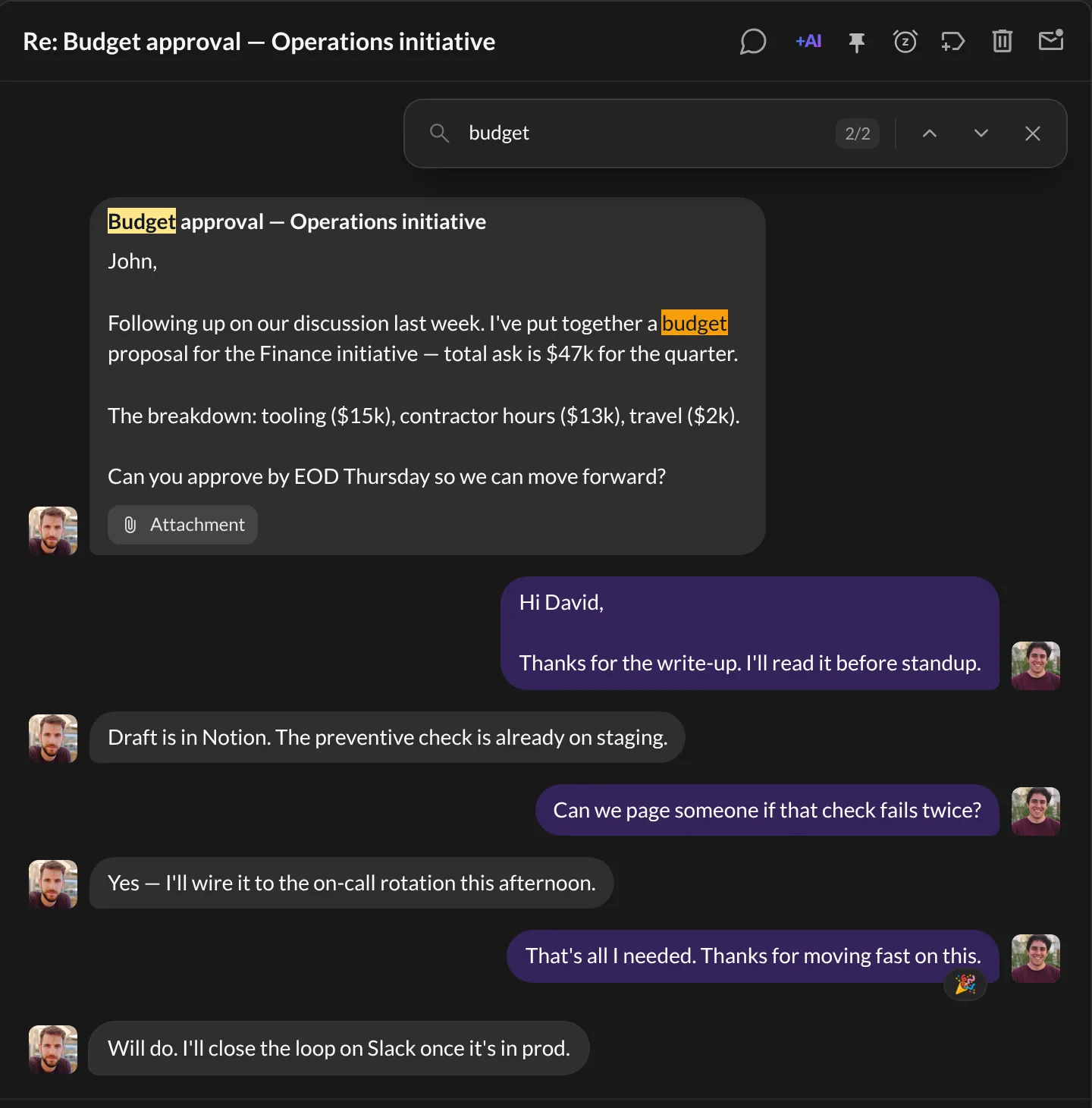
A small Find in conversation bar appears at the top right of the conversation.
Step 2: Type your word
- Type the word you’re looking for.
- Every match lights up. The current one is a brighter orange.
- The bar shows where you are, like 2/5 (the second match out of five).
It looks inside the emails themselves, not just the subjects. And you don’t need to worry about capital letters or accents: “cafe” finds “Café” too.
Step 3: Jump between matches
- Press
Enterto go to the Next match. - Press
Shift+Enterto go back to the Previous match. - Or click the little up and down arrows in the bar.
When you’re done, press Escape (or click Close). The bar goes away, and the conversation stays open.
And… that’s it! 🎉 No more scrolling marathons.
Tips
- Already have the bar open? Press
Cmd+F(orCtrl+F) again to select your word and start a new search. Cmd+Gon Mac (Ctrl+Gon Windows and Linux) also jumps to the next match, like in your web browser.- Want another shortcut? Change it in Settings → Shortcuts (Find in conversation).
- Looking for an email, not a word inside one? Use search instead.
Something went wrong?
“Nothing happens when I press the shortcut.” Make sure a conversation is open first. The find bar only works inside an open conversation.
“It says No results.” Check the spelling, or try a shorter part of the word. “invoi” will find “invoice” and “invoices”.
Still stuck? Write to us at [email protected]. A real human will answer.
