How to make Talanoa your default email app
Make email links open in Talanoa instead of another app. One button in Settings, plus a tiny extra step on Windows.
- Time needed
- About 1 minute
- What you need
- Talanoa, installed on your computer
Why bother? 📬
You’re on a website. You click a “Contact us” email link. And… some old email app you never use wakes up, yawns, and opens. Annoying.
When Talanoa is your default email app, those links open a new email in Talanoa instead, with the address already filled in. Like teaching your computer who your favorite mail carrier is.
Step 1: Open Settings
- Click the gear at the bottom left of the window, then Settings. (Or press
Cmd+,on Mac,Ctrl+,on Windows and Linux.) - Stay on the General tab. It’s the first one.
Step 2: Click “Make default”
- Find Make Talanoa your default email client. It’s right at the top.
- Click Make default.
When it works, the button turns into a green check with the word Default.
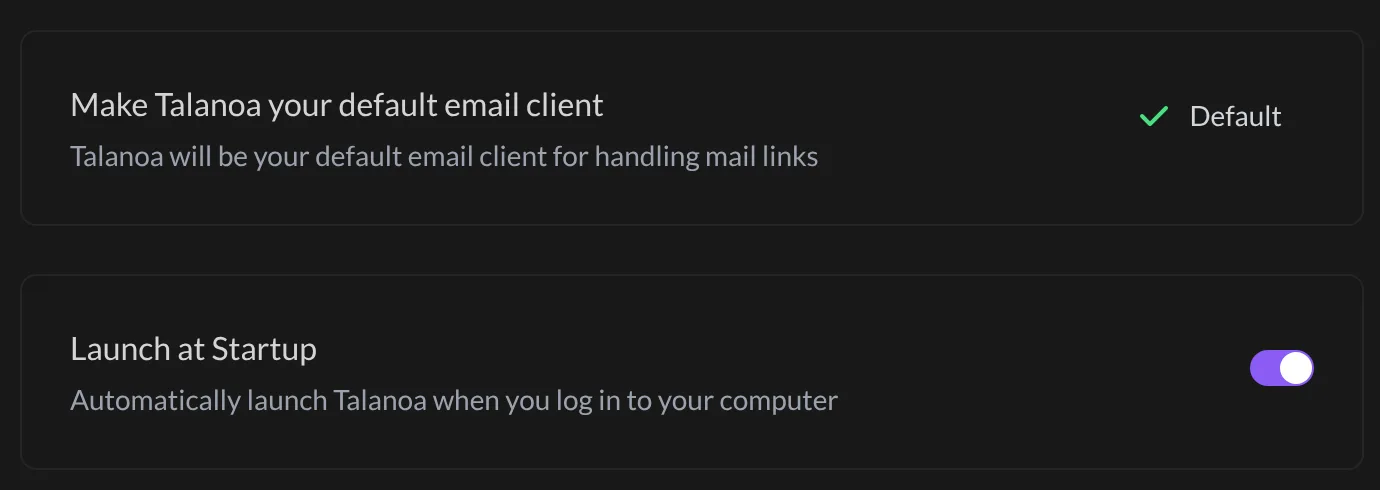
And… that’s it! 🎉 On a Mac and on Linux, you’re done. Try clicking an email link on any website.
Did it during the welcome tour? The Final touches page of the welcome tour has the same Make default button. If you clicked it there, you’re already set.
On Windows: one extra step (maybe)
Windows likes to keep the final say on default apps. If email links still open another app, tell Windows yourself:
- Open the Windows Start menu and go to Settings.
- Click Apps, then Default apps.
- In the search box, type mailto.
- Click the app shown next to MAILTO, and pick Talanoa.
Now Windows and Talanoa agree. Everyone’s happy.
Something went wrong?
“Email links on my Mac still open Apple Mail.” Open the Mail app, then Mail → Settings → General. Next to Default email reader, pick Talanoa. Apple Mail is a bit attached to that job, so sometimes it needs to hear it from you directly.
“The button says Default, but links still open another app.” On Windows, follow the extra step above. On Linux, open your system’s settings and look for Default Applications, then pick Talanoa for Mail.
“I want my old email app back as the default.” Pick it again in your computer’s settings (same places as above). Talanoa won’t take it personally.
Still stuck? Write to us at [email protected]. A real human will answer.
